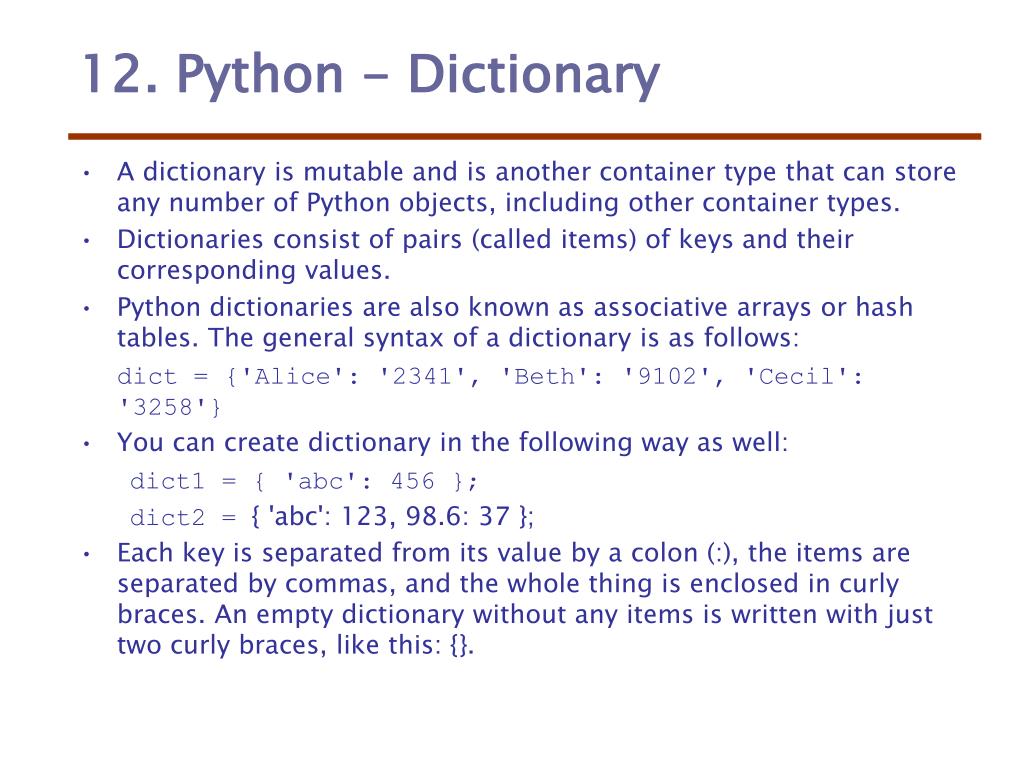
12. Python - Dictionary • A dictionary is mutable and is another container type that can store any number of Python objects, including other container types. • Dictionaries consist of pairs (called items) of keys and their corresponding values. • Python dictionaries are also known as associative arrays or hash tables. The general syntax of a dictionary is as follows: dict = {'Alice': '2341', 'Beth': '9102', 'Cecil': '3258'} • You can create dictionary in the following way as well: dict1 = { 'abc': 456 }; dict2 = { 'abc': 123, 98.6: 37 }; • Each key is separated from its value by a colon (:), the items are separated by commas, and the whole thing is enclosed in curly braces. An empty dictionary without any items is written with just two curly braces, like this: {}.
Accessing Values in Dictionary: • To access dictionary elements, you use the familiar square brackets along with the key to obtain its value: • Example: dict = {'Name': 'Zara', 'Age': 7, 'Class': 'First'}; print "dict['Name']: ", dict['Name']; print "dict['Age']: ", dict['Age']; • This will produce following result: dict['Name']: Zara dict['Age']: 7
If we attempt to access a data item with a key which is not part of the dictionary, we get an error as follows: dict = {'Name': 'Zara', 'Age': 7, 'Class': 'First'}; print "dict['Alice']: ", dict['Alice']; • This will produce following result: dict['Zara']: Traceback (most recent call last): File "test.py", line 4, in <module> print "dict['Alice']: ", dict['Alice']; KeyError: 'Alice'
Updating Dictionary: • You can update a dictionary by adding a new entry or item (i.e., a key-value pair), modifying an existing entry, or deleting an existing entry as shown below: • Example: dict = {'Name': 'Zara', 'Age': 7, 'Class': 'First'}; dict['Age'] = 8; # update existing entry dict['School'] = "DPS School"; # Add new entry print "dict['Age']: ", dict['Age']; print "dict['School']: ", dict['School']; • This will produce following result: dict['Age']: 8 dict['School']: DPS School
Delete Dictionary Elements: • You can either remove individual dictionary elements or clear the entire contents of a dictionary. You can also delete entire dictionary in a single operation. • To explicitly remove an entire dictionary, just use the del statement: • Example: dict = {'Name': 'Zara', 'Age': 7, 'Class': 'First'}; del dict['Name']; # remove entry with key 'Name' d ict.clear(); # remove all entries in dict del dict ; # delete entire dictionary print "dict['Age']: ", dict['Age']; print "dict['School']: ", dict['School']; • This will produce following result. Note an exception raised, this is because after del dict dictionary does not exist any more: dict['Age']: Traceback (most recent call last): File "test.py", line 8, in <module> print "dict['Age']: ", dict['Age']; TypeError: 'type' object is unsubscriptable • Note: del() method is discussed in subsequent section.
Properties of Dictionary Keys: • Dictionary values have no restrictions. They can be any arbitrary Python object, either standard objects or user-defined objects. However, same is not true for the keys. • There are two important points to remember about dictionary keys: • (a) More than one entry per key not allowed. Which means no duplicate key is allowed. When duplicate keys encountered during assignment, the last assignment wins. • Example: dict = {'Name': 'Zara', 'Age': 7, 'Name': 'Manni'}; print "dict['Name']: ", dict['Name']; • This will produce following result: dict['Name']: Manni
(b) Keys must be immutable. Which means you can use strings, numbers, or tuples as dictionary keys but something like ['key'] is not allowed. • Example: dict = {['Name']: 'Zara', 'Age': 7}; print "dict['Name']: ", dict['Name']; • This will produce following result. Note an exception raised: Traceback (most recent call last): File "test.py", line 3, in <module> dict = {['Name']: 'Zara', 'Age': 7}; TypeError: list objects are unhashable
Built-in Dictionary Functions & Methods:
13. Python - Date and Time • What is Tick? • Time intervals are floating-point numbers in units of seconds. Particular instants in time are expressed in seconds since 12:00am, January 1, 1970(epoch). • Example: import time; # This is required to include time module. ticks = time.time() print "Number of ticks since 12:00am, January 1, 1970:", ticks • This would produce a result something as follows: Number of ticks since 12:00am, January 1, 1970: 7186862.73399 • Date arithmetic is easy to do with ticks. However, dates before the epoch cannot be represented in this form. Dates in the far future also cannot be represented this way - the cutoff point is sometime in 2038 for UNIX and Windows.
What is TimeTuple? • Many of Python's time functions handle time as a tuple of 9 numbers, as shown below:
The above tuple is equivalent to struct_time structure. This structure has following attributes:
Example I: Getting current time -: • To translate a time instant from a seconds since the epoch floating-point value into a time-tuple, pass the floating-point value to a function (e.g., localtime) that returns a time-tuple with all nine items valid: import time; localtime = time.localtime(time.time()) print "Local current time :", localtime • This would produce following result which could be formatted in any other presentable form: Local current time : time.struct_time(tm_year=2011, tm_mon=10, tm_mday=8, tm_hour=16, tm_min=17, tm_sec=51, tm_wday=5, tm_yday=281, tm_isdst=1)
Example II: Getting formatted time -: • You can format any time as per your requirement, but simple method to get time in readable format is asctime(): import time; localtime = time.asctime( time.localtime(time.time()) ) print "Local current time :", localtime • This would produce following result: Local current time : Sat Oct 08 16:22:08 2011
Example III: Getting calendar for a month -: • The calendar module gives a wide range of methods to play with yearly and monthly calendars. Here we print a calendar for a given month ( Jan 2008 ): import calendar cal = calendar.month(2008, 1) print "Here is the calendar:" print cal; • This would produce following result: Here is the calendar: October 2011 Mo Tu We Th Fr Sa Su 1 2 3 4 5 6 7 8 9 10 11 12 13 14 15 16 17 18 19 20 21 22 23 24 25 26 27 28 29 30 31
The time Module:
There are following two important attributes available with time module:
The calendar Module • The calendar module supplies calendar-related functions, including functions to print a text calendar for a given month or year. • By default, calendar takes Monday as the first day of the week and Sunday as the last one. To change this, call calendar.setfirstweekday() function. • Here is a list of functions available with the calendar module: