Mastering EndNote X2: Library Management and Citation Tools for Research
Join Yingting Zhang, MLS Information & Education Librarian, for an insightful session on EndNote X2, the latest bibliographic software for researchers. By the end of this workshop, you will know how to create and manage your EndNote library, import references from databases, and effectively cite while writing in Word using the CWYW feature. Discover the new features of EndNote X2, including enhanced search capabilities and collaboration tools. Whether you're a student or a faculty member, learn how to optimize your research workflow!

Mastering EndNote X2: Library Management and Citation Tools for Research
E N D
Presentation Transcript
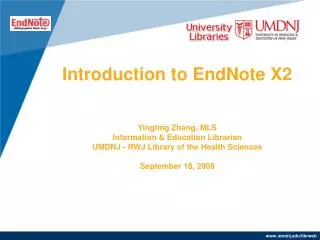
Introduction to EndNote X2Yingting Zhang, MLSInformation & Education LibrarianUMDNJ - RWJ Library of the Health SciencesSeptember 18, 2008
Objectives By the end of the session, you should know: • how to create an EndNote library • how to manage your library and organize your references • how to export your references into your Word document (CWYW) as well as to make a bibliography
What Is EndNote? EndNote is a bibliographic software program, used by researchers, faculty, and students to: • search online resources/databases, • store references, • organize references, • create formatted bibliographies • cite references while you write.
EndNote X2 • EndNote X2 is the latest version of EN desktop program. • New features of EndNote X2: • Access more info in the Groups panel • Search for references easily with new integrated tab • Collaborate with EndNote Web • Other new features…
UMDNJ EndNote User Support • Download EndNote X2 at: http://www.umdnj.edu/librweb/access/EndNote.html NOTE: UMDNJ Proxy Account required to download the program. See details at: http://www.umdnj.edu/librweb/access/index.html • UMDNJ EndNote Users Blog: http://umdendnote.wordpress.com/
EndNote Basics • Creating an EndNote Library • Adding References to Your EndNote Library by • importing selected references from remote databases (directly and indirectly) • searching remote databases and directly downloading the results • inputting references manually • Organizing, Sorting and Searching an EndNote Library • Exporting References from EndNote to a Word Document • to create a list of references • to cite while you write (CWYW)
Creating an EndNote Library • Create a library (database) at launching the program, or • Open the EndNote program. Click “new” under the File menu
Adding References to Your Library • Importing selected references from remote databases • demo with PubMed (see the blog) http://umdendnote.wordpress.com/2008/09/04/how-to-import-references-from-pubmed-into-an-endnote-library/ • Searching remote databases and directly downloading the results • demo with PubMed • Inputting references manually
Working with Your Library • Organizing – create sub-groups within the library • Sorting – click on tabs or use the “Sort Library” feature under Tools. • Browsing – by clicking on the tabs • Searching – use the built-in search engine.
Exporting References • to create a list of references or an annotated bibliography • to cite while you write (CWYW) • use “Manuscript Templates… (under Tools) • or just start with Word
EndNote Web EndNote Web is the web-based version of EndNote. Store up to 10,000 records per user account. Note:You must create your account from a computer connected to the UMDNJ network and login within the network at least once every twelve months to keep your account active.
Why EndNote Web Useful? • Easy to use. • Web-based, once created on campus, can be accessible anywhere with web connection. • Ability to collect/import, organize, export and format references. • A good complement to EndNote desktop program. • Ability to share references in read-only format with others who have EndNote Web accounts. (www.endnoteweb.com)
Getting Started with EndNote Web Start from: www.myendnoteweb.com
EndNote Web Account • Sign up if no account was created previously. • Same account as the one used for Web of Science. Can’t create two accounts under the same email address. • Just sign in if already available.
EndNote Web Sample Screen Login to: www.myendnoteweb.com
Conclusion Thank You! Any questions? Please contact: Yingting Zhang yzhang@umdnj.edu 732-235-7604 EndNote Blog: umdendnote.wordpress.com