Appendix A Information Systems Hardware
Explore the fundamental components of information systems hardware, including input, processing, and output devices. Learn about various input devices such as keyboards, scanners, and audio/video entry methods. Discover the transformation of inputs into outputs through processing units like CPUs and memory systems. Also, delve into different types of computers utilized in organizations today, from supercomputers to handheld devices. This comprehensive overview prepares you for understanding the essential hardware that underpins modern information systems.

Appendix A Information Systems Hardware
E N D
Presentation Transcript
Appendix AInformation Systems Hardware Information Systems Today Leonard Jessup and Joseph Valacich
Appendix A Objectives • Understand key elements of information systems hardware • Understand types of computers used in organizations today
Key Elements of IS Hardware • Input Devices • Processing Devices • Output Devices
Input Devices • Entering text and numbers • Pointing and selecting information • Entering batch data • Entering audio and video
Input Devices • Entering text and numbers • Keyboard • Regular • Cordless (radio frequency waves) • Ergonomics • Repetitive stress injuries
Input Devices • Pointing and Selecting Information • Examples • Touch screen • Light pen • Mouse • Touchpad
Input Devices • Entering Batch Data • Batch input • Scanners • Text recognition software
Input Devices • Types of Scanning • Optical Mark Recognition (OMR) • Optical Character Recognition (OCR) • Bar Code Readers • Magnetic Ink Character Recognition (MICR)
Input Devices • Smart Cards • A credit card with: • magnetic strip • microprocessor chip • memory circuits
Input Devices • Entering Audio and Video • Video recording • Voice input • Speech recognition • MIDI • Musical Instrument Digital Interface • Video input • Digital cameras • Streaming video • Streaming media
Processing: Transforming Inputs into Outputs • Binary code • Machine language • Bit – binary digit • Byte – 8 bits or one typed character
Processing: Transforming Inputs into Outputs • Elements of computer storage
Processing: Transforming Inputs into Outputs • Binary codes • ASCII • American Standard Code for Information Interchange • EBCDIC • Extended Binary-Coded Decimal Interchange Code • Unicode
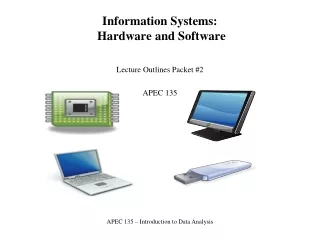
Processing: Transforming Inputs into Outputs • System Unit • Motherboard • Central Processing Unit (CPU) • RAM and ROM • Drives: hard, diskette, CD-ROM or DVD-ROM • Ports
Processing: Transforming Inputs into Outputs • Motherboard • Contains components that do the processing • Power supply
Processing: Transforming Inputs into Outputs • Central Processing Unit (CPU) • Arithmetic Logic Unit (ALU) • Performs mathematics • Control Unit • Fetch instructions • Decode instructions • Retrieve data • Store results • Moore’s Law
Processing: Transforming Inputs into Outputs • Primary Storage (volatile) • Random-Access Memory (RAM) • Read-Only Memory (ROM) • Secondary Storage (nonvolatile)
Processing: Transforming Inputs into Outputs • Secondary Storage (nonvolatile) • Hard drives • Diskette drives • Zip drives • Optical disks • CD-ROM • DVD-ROM • Tapes
Output Devices • Output • Video Output (CRT and LCD) • Printers and Plotters • Audio Output
Types of Computers • Supercomputers • Mainframes • Midrange computers • Workstations • Microcomputers (personal computers) • Network computers • Portable computers • Notebook computers • Handheld computers