Download
1 / 30
310 likes | 432 Views
This document provides an overview of on-line processing in CICS (Customer Information Control System), highlighting its main types, such as menu, inquiry, maintenance, and data entry programs. It contrasts on-line with batch processing, emphasizing responsiveness, error correction, and system considerations like ease of use, performance, file integrity, and security. The text also discusses terminal networks, including local and remote connections, the IBM 3270 family of terminals, and important CICS features such as multitasking and program sharing.

E N D
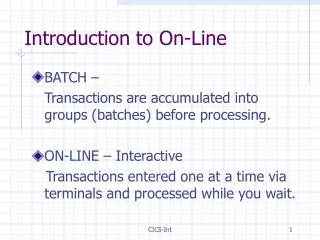
Introduction to On-Line • BATCH – Transactions are accumulated into groups (batches) before processing. • ON-LINE – Interactive Transactions entered one at a time via terminals and processed while you wait. CICS-Int
Introduction to On-Line • The main Advantage of On-Line over batch is responsiveness. Batch response time is usually measured in days where On-Line response time is usually measured in seconds! • Another advantage is immediate error correction. • Disadvantage – COST! CICS-Int
Introduction to On-Line • Four main TYPES of On-Line programs: • Menu • Inquiry • Maintenance • Data Entry CICS-Int
Introduction to On-Line • Menu Program: Shows list of functions available and allows user to choose which one to perform. Sometimes other NAVAGATION options are presented also, like HELP or EXIT. CICS-Int
Introduction to On-Line • Inquiry Program Shows a response to a user’s inquiry. For example: A customer number is entered and a list of Video Tapes currently rented is displayed. CICS-Int
Introduction to On-Line • Maintenance Provides for updates by allowing changes, deletions, and additions of data. For example: Changing the address of a customer. CICS-Int
Introduction to On-Line • Data Entry Provides for transaction entry. For example: Entry of an order for a customer. The Customer Number and the required details of an order can be entered and validated. CICS-Int
Online System Considerations • Four Main Areas of Concern: • Ease of Use • Performance • File Integrity • Security CICS-Int
Online System Considerations • Ease of Use • Common User Access (CUA) • Entry Model (Dumb Terminals) • Mainframe CICS, etc. • Graphical Model (Workstations, PC’s) • Windows, Linux, etc. CICS-Int
Online System Considerations • Performance • Response Time (Measurement) • Time for screen update to occur • Factors affecting response time • System load (Number of programs running) • Communication traffic load • Data traffic (Number of I/O operations required) • File activity (Number of files accessed/updated) CICS-Int
Online System Considerations • File Integrity • Simultaneous file activity • Shared files (Batch program ‘owns’ file) • Multiple users with conflicting needs • File (Record/Block) locking CICS-Int
Online System Considerations • Security • Logon Procedure (Name/Password) • Multi-level Security • RACF Security profile • Alternate Logon’s (Supervisor, etc) • Call Back Security, etc. CICS-Int
Terminal Networks • Network connects terminal to host • Terminals can be ‘local’ or ‘remote’ • Local • Short distance (Usually same building) • Remote • Further distance (Different cities) CICS-Int
Terminal Networks • Local Connection • Terminal • 3270 Family Controller • Multiplexor (Optional) • Channel attachment CICS-Int
Terminal Networks • Remote Connection • 3270 Family Terminal • 3270 Family Controller • Modem - SDLC (or BSC) • Communication Link • Modem - SDLC (or BSC) • 3270 Family Controller • Channel Attachment CICS-Int
Terminal Networks • IBM’s 3270 family of terminals • 3270 Information Display System • 3270 Display Stations • 3278 – Monochrome • 3279 – Seven Color (w/intensity also) • 3270 Printers • Dot matrix Printers • Line Printers • Laser Printers CICS-Int
Terminal Networks • IBM 3270 Family (Continued) • 3270 Controllers • Connect up to 32 devices to controller • Coaxial cables • Multiplexors (8 units via single cable) • Options • Light pens, extended keyboards (languages), extended attributes (highlighting, blinking, etc.) CICS-Int
Terminal Networks • 3270 Emulators • PC Programs emulate Mainframe Terminal • Adds: upload and download of files • Translation from/to EBCDIC/ASCII • Also allows screen/file printing • Changes PC to ‘FULL SCREEN’ device CICS-Int
Introduction to CICS • Customer Information Control System • IBM Product of the 70’s (Intro in 1969) • 490 of Fortune 500 use CICS • Over 1 billion lines of CICS (COBOL) code • Nearly 15 million CICS terminals • Nearly 1 million CICS programmers • Allows BATCH O/S to handle ONLINE CICS-Int
Introduction to CICS • CICS is interface between O/S & prog • CICS acts like an Operating System • Manages its own storage • Provides its own file and D/B management • Has its own TASK manager • Runs in its own ADDRESS SPACE CICS-Int
Introduction to CICS • Multitasking is basic feature of CICS • CICS allows multiple tasks to operate • Uses its own method (not regular O/S) • Works same regardless of O/S • Multithreading allows program sharing • Program must be reentrant • No code modification allowed! CICS-Int
Introduction to CICS • Assembler can be used (carefully!) • CICS/COBOL produces reentrant code. • Users share same program code. • Each user gets separate copy of W/S. • Users invoke a TRANSACTION CICS-Int
Introduction to CICS • TRANSACTION specifies prog to run • TRANS-ID is 4 character unique code • Once loaded into CICS storage, it stays. • (Unless external request received) • Each user is assigned a TASK • Task active until RETURN is issued CICS-Int
Introduction to CICS Tables • Each TRANS-ID is defined in PCT • TRANS-ID is four chars (w/trailing spaces) • PCT = Program Control Table • PCT is list of valid TRANS-ID’s • Paired with ‘Program Name’ to use • Program names are eight characters (wts) • IBM TRANS-ID’s start with ‘C’ CICS-Int
Introduction to CICS Tables • PPT = Processing Program Table • List of all valid program names • Used by CICS to determine if in storage. • IF not in storage, CICS loads NEW COPY • Tables created by programmer with CEDA • RDO = Resource Definition OnLine - CEDA CICS-Int
Intro to CICS Services • Three main categories of CICS Services: • Data Communications Services • Data Management Services • CICS Management Services CICS-Int
Intro to CICS Services • Data Communication Services • Basic mapping Support (BMS) • Assembler program to handle screen formats. • Terminal Control • Interface with VTAM • Send/Receive text to/from terminal CICS-Int
Intro to CICS Services • Data Management • No COBOL READ/WRITE Permitted! • CICS handles all data requests • VSAM, DL/1, and DB/2 • Files defined in FCT • FCT = File Control Table • List of available files, status, type, security CICS-Int
Intro to CICS Services • CICS Management Services • Program Control • Allows TASK to call other programs • Some RETURN and some don’t • Temporary Storage Control • Transient Data, Interval, Storage Control • Task, Dump, Trace and Journal Control CICS-Int
Intro to Program Development • Develop complete program specs • Design the program • Create required CICS table entries • Create the BMS Mapset • Code the program • Compile and Test program • Document the program CICS-Int