Download
1 / 1
10 likes | 140 Views
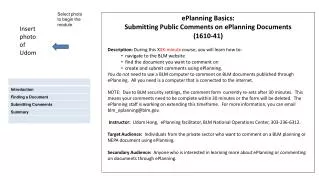
In this informative course, you will learn how to navigate the BLM website, locate the documents you wish to comment on, and effectively create and submit comments through the ePlanning platform. You don't need a BLM computer; a regular internet-connected computer will suffice. Please note: due to security settings, the comment form resets after 30 minutes, so ensure your comments are completed promptly. For inquiries, reach out to blm_eplanning@blm.gov. Join Udom Hong, your ePlanning facilitator, to enhance your commenting skills!

E N D
Select photo to begin the module. Insert photo of Udom ePlanning Basics: Submitting Public Comments on ePlanning Documents (1610-41) Description: During this XXX-minute course, you will learn how to: navigate to the BLM website find the document you want to comment on create and submit comments using ePlanning. You do not need to use a BLM computer to comment on BLM documents published through ePlanning. All you need is a computer that is connected to the internet. NOTE: Due to BLM security settings, the comment form currently re-sets after 30 minutes. This means your comments need to be complete within 30 minutes or the form will be deleted. The ePlanning staff is working on extending this timeframe. For more information, you can email blm_eplanning@blm.gov. Instructor: Udom Hong, ePlanning facilitator, BLM National Operations Center, 303-236-6312. Target Audience: Individuals from the private sector who want to comment on a BLM planning or NEPA document using ePlanning. Secondary Audience: Anyone who is interested in learning more about ePlanning or commenting on documents through ePlanning.