Managing Stock Adjustments: An Overview of System Functions and Permissions
30 likes | 160 Views
Stock Adjustment allows for the modification of inventory quantities within the system without the need for documentation. This feature is regulated by permissions that can be toggled on or off as required. Users can perform stock adjustments and optionally include remarks and reference numbers. The Stock Adjustment Listing provides detailed journal transaction entries related to each adjustment made. Additionally, there is an option for editing previously made stock adjustments to ensure accuracy and compliance in inventory management.


Managing Stock Adjustments: An Overview of System Functions and Permissions
E N D
Presentation Transcript
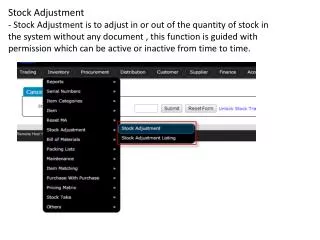
Stock Adjustment - Stock Adjustment is to adjust in or out of the quantity of stock in the system without any document , this function is guided with permission which can be active or inactive from time to time.
Perform Stock Adjustment* Remark & reference number is optional field
Stock Adjustment Listing* Included Journal Transaction entry details based on the stock adjustment performed.* Editing of the stock adjustment is available.