Essential Internet Safety Rules for Teens: Stay SAFE Online!
The internet can be enjoyable but also harbors dangers like identity theft, viruses, and predators. Teens need to understand how to navigate it safely. This guide emphasizes the S.M.A.R.T. approach: Keep Secrets (protect personal info), Avoid Meetings (don’t meet online friends alone), Recognize Risks (be cautious about files), and Tell Someone (report uncomfortable situations). Follow these guidelines to protect yourself while using the internet, whether for research, business, or social interaction. For more in-depth information, visit our useful resource.

Essential Internet Safety Rules for Teens: Stay SAFE Online!
E N D
Presentation Transcript
Internet Safety Rules To Help You Navigate the Internet Safely
The Truth • We all need internet safety education. • The internet may be fun, but it can also be dangerous! • With the possibility of identity theft, computer viruses and predators in chat rooms, we all need to learn how to be safe as we use the internet.
Teens use the internet for … • Research • Business • Social interaction
Social Interaction • Teens Use Technology to Meet People and Chat. • Unfortunately, this can open a door to viruses, hackers, spyware, phishing, and predators
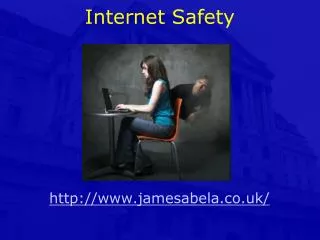
You may not be aware of it but…. • Predators lurk in public chat rooms • They may invite you to a private chat via an instant message service • Followed by e-mail • Then phone conversations
Finally, a face-to-face meeting Anyone can pretend to be your friend on the internet!
Be Safe and Remember to…. Keep S.M.A.R.T. on the internet
S - Secret • Memorize your password and keep it secret! • Keep your name, address, phone numbers and passwords private • Don’t share pictures with persons you only know from the internet. Don’t send sexually provocative photos to anyone. Under the law, you may be charged as a predator yourself.
M - Meeting • Meeting internet “buddies” can be very dangerous! An online buddy can turn out to be a predator or worse! • Be smart – Don’t meet face to face with persons you only know on the internet. If you do bring a parent with you.
A - Accepting • Accepting and opening unknown files may contain computer viruses or unwanted and inappropriate messages.
R - Remember • Online persons may not be truthful. Public areas are safer; but if you feel uncomfortable, get out.
T – Tell Someone • Tell an adult if you feel uncomfortable with internet sites or messages! • Report obscene, harassing or belligerant e-mails or text messages. Do not respond to them.
School Rules • You do not have a right to privacy on the internet at school. Never assume that someone isn’t watching the sites you visit. • Our internet filter has its limitations. If inappropriate sites come up report it to a teacher. • By-passing the internet filter at school is not allowed. • Internet bullying of others is not allowed at school or at home.
School Rules • Students should not be downloading music and videos at school. This uses up a great deal of bandwidth and may prevent other students from being able to use the internet for legitimate educational purposes.
For More Information • For additional information go to http://www.sbac.edu/~media/internet_safety_information.htm