Create a Custom Seating Chart in PowerPoint: Step-by-Step Guide
Learn how to create your own seating chart in PowerPoint by modifying existing templates or designing from scratch. Start by selecting "New Slide" from the "Insert" menu to begin your custom chart. You can copy and paste elements from the examples provided, rotate objects using the "Rotate or Flip" options on the Drawing toolbar, and enhance your design with AutoShapes or Clip Art. This guide covers various layouts—from traditional desks to circular tables—providing you with the flexibility needed for your classroom or event.

Create a Custom Seating Chart in PowerPoint: Step-by-Step Guide
E N D
Presentation Transcript
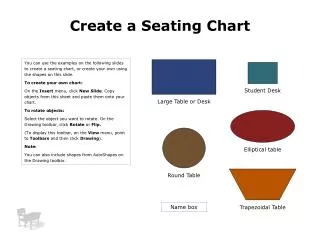
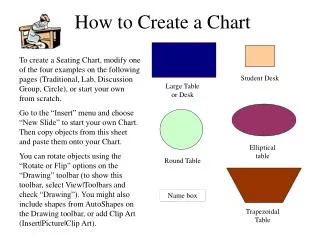
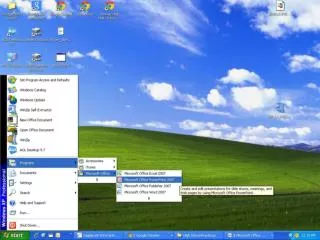
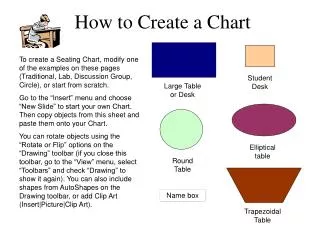
How to Create a Chart To create a Seating Chart, modify one of the examples on these pages (Traditional, Lab, Discussion Group, Circle), or start from scratch. Go to the “Insert” menu and choose “New Slide” to start your own Chart. Then copy objects from this sheet and paste them onto your Chart. You can rotate objects using the “Rotate or Flip” options on the “Drawing” toolbar (if you close this toolbar, go to the “View” menu, select “Toolbars” and check “Drawing” to show it again). You can also include shapes from AutoShapes on the Drawing toolbar, or add Clip Art (Insert|Picture|Clip Art). Student Desk Large Table or Desk Elliptical table Round Table Name box Trapezoidal Table
Traditional Name box Name box Name box Name box Name box Name box Name box Name box Name box Name box Name box Name box Name box Name box Name box Name box Name box Name box Name box Name box Name box
Discussion Group Name box Name box Name box Name box Name box Name box Name box Name box Name box Name box Name box Name box Name box
Lab Tables Name box Name box Name box Name box Name box Name box Name box Name box Name box Name box Name box Name box Name box Name box Name box Name box Name box Name box Name box Name box Name box Name box Name box Name box
Circle Name box Name box Name box Name box Name box Name box Name box Name box Name box Name box Name box Name box