Mastering MATLAB Programming: A Comprehensive Mini-Course
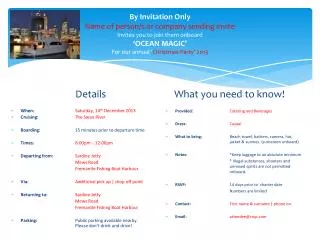
Join us for a series of four classes on mastering MATLAB programming! Classes are held from 10-12 AM on Tuesdays in the Computer Lab at Academic Surge. We will cover essential topics such as language basics, array operations, flow control, and data analysis using "Mastering MATLAB 5" by Hanselman and Littlefield. Participants will have access to copies of the text for limited-time loan. Our goal is to provide a basic understanding of MATLAB programming. For class notes and resources, visit: http://erizo.ucdavis.edu/~dmk/matlab-mini-course/

Mastering MATLAB Programming: A Comprehensive Mini-Course
E N D
Presentation Transcript
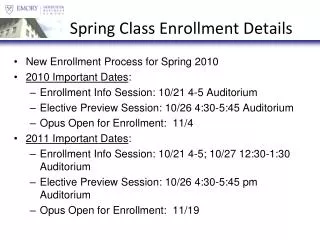
Class Details • 10-12 AM Tuesdays for 4 classes. • Class text: Mastering Matlab 5 (or 6) by Hanselman and Littlefield. One or more copies available for limited time loan in my lab. • Location of class notes: http://erizo.ucdavis.edu/~dmk/matlab-mini-course/ • Meeting place: Computer lab in Academic Surge. 1044 Academic Surge. • Goal: Basic understanding of Matlab programming.
Tentative Schedule for Class • Class 1: Language basics and data types • Class 2: Array operations and graphics basics • Class 3: Flow control and writing functions • Class 4: Data analysis and advanced topics
Tentative Readings for Class • Class 1: MM5, Chapters 1-5 • Class 2: MM5, Chapters 6, 7, 8, 10, 12, 26 • Class 3: MM5, Chapters 4, 13, 14, 15 • Class 4: MM5, Chapters 16, 17, 19, 21, 23
Further Reading and Useful Links • Finish MM5. • Matlab's own documentation. • Great number of other texts dealing with aspects of matlab, such as “Graphics and GUIs with Matlab”, by P. Marchand, “Curso Básico de Matlab”, by Montbrun, etc... • Useful web sites: • Mathworks: Lots of matlab information and documentation. • SEA-MAT: WHOI matlab routines for oceanography. • Mathtools: Useful scientific computing site. • .......
Notation Matlab commands will always appear in the Courier font and will generally be indented. It will look as follows: • a = ones(2,3); • B = 2 * a;