Download
1 / 18
Oracle 9i Developer Suite Installation Guide
180 likes | 283 Views
Step-by-step instructions for installing Oracle 9i Developer Suite using the provided CDs and registering on the Oracle Technology Network (OTN). Includes setting up Complete Profile Info and necessary configurations. 8 Relevant

Download Presentation 
Oracle 9i Developer Suite Installation Guide
An Image/Link below is provided (as is) to download presentation
Download Policy: Content on the Website is provided to you AS IS for your information and personal use and may not be sold / licensed / shared on other websites without getting consent from its author.
Content is provided to you AS IS for your information and personal use only.
Download presentation by click this link.
While downloading, if for some reason you are not able to download a presentation, the publisher may have deleted the file from their server.
During download, if you can't get a presentation, the file might be deleted by the publisher.
E N D
Presentation Transcript
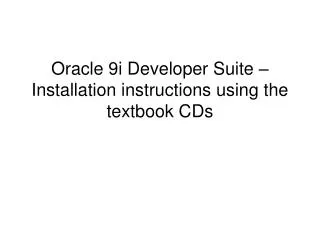
Oracle 9i Developer Suite – Installation instructions using the textbook CDs
Complete Profile Info – use an email address which you can access from school.
Check email for registration # and print out the email for reference during the installation.
Place CD1 in the computer. When this screen appears, click Install.
When prompted, replace Disk 1 with Disk 2, close cd drive, Click OK




More Related