1 / 2

Effective Email Reminder Strategies for Employee Enrollment Tasks

Optimize your task management with effective email reminders for enrolling 20 employees in December. This guide outlines how to set up a 1/1 effective date account, select reminder dates strategically, and estimate the time required for each task. Agents will receive monthly emails listing all account tasks, ensuring they stay informed without being overwhelmed. Discover tips for task sequencing, leveraging your personalized dashboard, and utilizing filters to prioritize tasks efficiently. Streamline your process and enhance team productivity with these best practices.

osman
Download Presentation

Effective Email Reminder Strategies for Employee Enrollment Tasks

An Image/Link below is provided (as is) to download presentation Download Policy: Content on the Website is provided to you AS IS for your information and personal use and may not be sold / licensed / shared on other websites without getting consent from its author. Content is provided to you AS IS for your information and personal use only. Download presentation by click this link. While downloading, if for some reason you are not able to download a presentation, the publisher may have deleted the file from their server. During download, if you can't get a presentation, the file might be deleted by the publisher.

E N D

Presentation Transcript


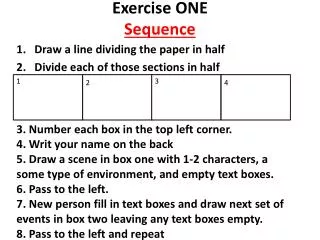
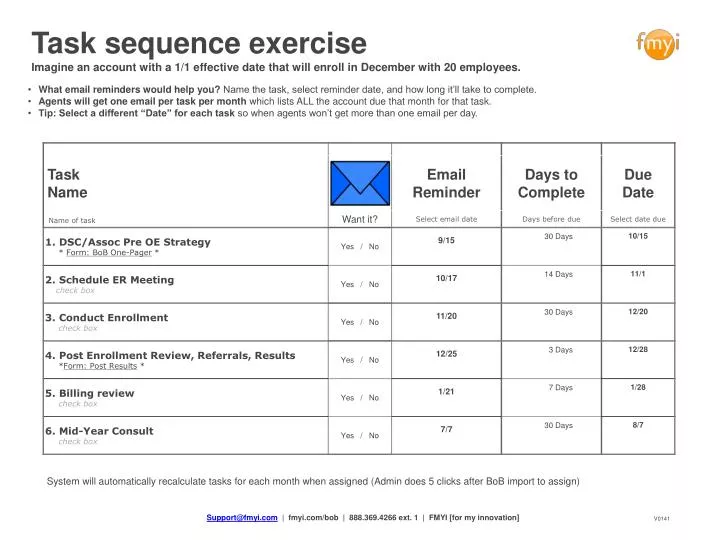
  1. Task sequence exercise Imagine an account with a 1/1 effective date that will enroll in December with 20 employees. • What email reminders would help you? Name the task, select reminder date, and how long it’ll take to complete. • Agents will get one email per task per month which lists ALL the account due that month for that task. • Tip: Select a different “Date” for each task so when agents won’t get more than one email per day. System will automatically recalculate tasks for each month when assigned (Admin does 5 clicks after BoB import to assign) Support@fmyi.com | fmyi.com/bob | 888.369.4266 ext. 1 | FMYI [for my innovation] V0141

  2. Overdue Expands to show due and overdue Agent View plan for all or each agent Time Know what to do now and then List Organize and access opportunities Completed • Your personalized task dashboard Upcoming Overdue On the homepage manage the task sequence for each agent with powerful filters to prioritize their efforts. ✓ 14 6 Completed Upcoming Overdue Completed Completed Upcoming Upcoming Support@fmyi.com | fmyi.com/bob | 888.369.4266 ext. 1 | FMYI [for my innovation] V0141
More Related