Download
1 / 1
10 likes | 131 Views
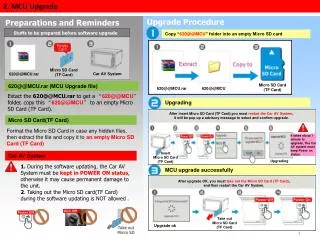
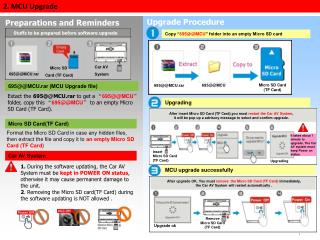
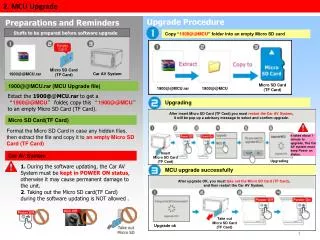
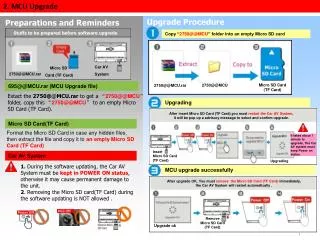
This guide outlines the essential preparations and steps for upgrading the MCU of your Car AV System using a Micro SD card. Before starting, ensure that you have the necessary files, including the extracted "2750@@MCU" folder, on an empty Micro SD card. The upgrade process involves formatting the card, copying files, and keeping the Car AV System powered on throughout. Follow the instructions carefully to avoid damaging the system. Upon successful upgrade, the Car AV System will restart automatically.

E N D
2. MCU Upgrade Upgrade Procedure Preparations and Reminders Copy “2750@@MCU” folder into an empty Micro SD card Stuffs to be prepared before software upgrade Car AV System Micro SD Card (TF Card) 2750@@MCU.rar 695@@MCU.rar (MCU Upgrade file) Micro SD Card (TF Card) 2750@@MCU 2750@@MCU.rar Extact the2750@@MCU.rar to get a “2750@@MCU”folder, copy this “2750@@MCU”to an empty Micro SD Card (TF Card). Upgrading After insert Micro SD Card (TF Card),you must restart the Car AV System, it will be pop up a advisory message to select and confirm upgrade. Micro SD Card(TF Card) Format the Micro SD Card in case any hidden files, then extract the file and copy it to an empty Micro SD Card (TF Card) It takes about 1 minute to upgrade, The Car AV system must keep Power on status. Insert Micro SD Card (TF Card) Car AV System Upgrading 1. During the software updating, the Car AV System must be kept in POWER ON status, otherwise it may cause permanent damage to the unit. 2. Removing the Micro SD card(TF Card) during the software updating is NOT allowed . MCU upgrade successfully After upgrade OK, You must remove the Micro SD Card (TF Card) immediately, the Car AV System will restart automatically . Remove Micro SD Card (TF Card) Upgrade ok 1