Download
1 / 6
60 likes | 180 Views
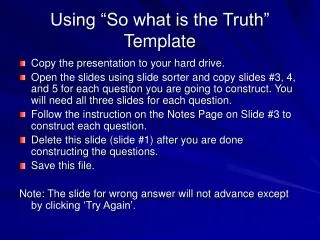
This guide walks you through utilizing the "So What Is the Truth" template to create interactive quizzes. Start by downloading the presentation to your hard drive. Open the slides using slide sorter and duplicate slides #3, #4, and #5 for each question you want to develop. Follow the instructions on the notes page of slide #3 for configuring your questions. Remember to delete slide #1 once your questions are completed. Save your file, and ensure that users engage with the quiz by clicking 'Try Again' for wrong answers!

E N D
Using “So what is the Truth” Template • Copy the presentation to your hard drive. • Open the slides using slide sorter and copy slides #3, 4, and 5 for each question you are going to construct. You will need all three slides for each question. • Follow the instruction on the Notes Page on Slide #3 to construct each question. • Delete this slide (slide #1) after you are done constructing the questions. • Save this file. Note: The slide for wrong answer will not advance except by clicking ‘Try Again’.
Which of the following is true? • Enter text for False statement1. • Enter text for False statement 2. • Enter text for TRUE statement. • Enter text for False statement 3. Click on the TRUE statement
This Statement is NOT TRUE! Try Again
This Statement is TRUE! Click for next question