Download
1 / 9
90 likes | 200 Views
This guide offers detailed instructions on installing and building optimized versions of the BLAS and LAPACK libraries on Linux systems, specifically targeting Pentium III architectures. It discusses how to utilize ATLAS for automatic tuning, the importance of compiling and linking processes, and how to configure Makefiles for compatibility with your compiler. The instructions include downloading raw code, setting up your environment, and merging LAPACK with routine libraries for enhanced performance. Follow the steps to ensure your linear algebra computations are efficient and effective.

E N D
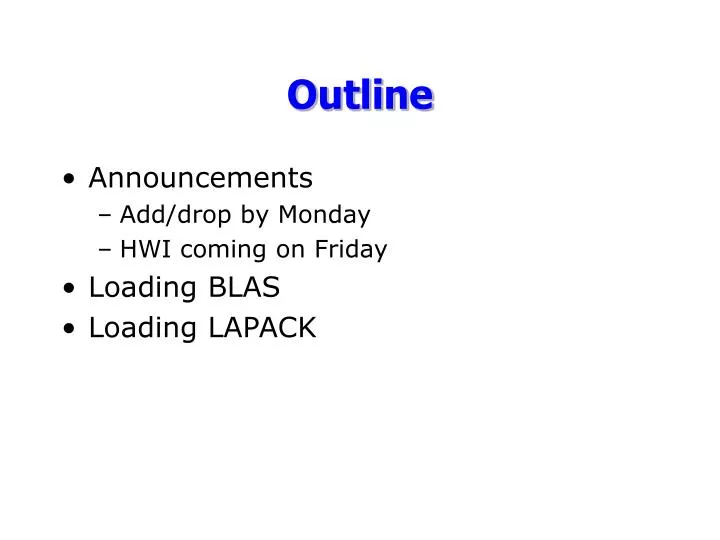
Outline Announcements Add/drop by Monday HWI coming on Friday Loading BLAS Loading LAPACK
BLAS BLAS is available as raw code commercial packages (IMSL, Intel “Math Kernal Library”) ATLAS-- “Automatically-Tuned Linear Algebra Subroutines”
ATLAS Code to build an optimized version of BLAS (hopefully faster than just compiling BLAS) Available as code or pre-builts from Netlib atlas3.2.0_Linux_PIIISSE1256.tgz “Pentium III with 256K L2 cache, using SSE1 for single precision”
LAPACK LAPACK is also available as raw code commercial packages
LAPACK Download lapack.tgz from Netlib edit make.inc for this platform compiler =g77, options=-g -O2 BLASLIB = -L$(HOME)/cs404/ATLASLinux_PIIISSE1256 -lf77blas -latlas edit Makefile comment out blaslib dependency
LAPACK make compiles LAPACK code creates libraries Followed install instructions to merge LAPACK with the LAPACK routines from ATLAS
UNIX Libraries Pre-built libraries (commercial or otherwise) are stored as “archives” on UNIX machines lib<NAME>.a System libraries are in directories like /lib and /usr/lib archives are actually collections of object code (.o)
Build process: compile--creates machine instructions (object code) g77 -c foo.c ----> foo.o link--merges object code to create executable g77 foo.o bar.o -ofoobar----> combines instructions in foo.o and bar.o as well as system libraries to create foobar Review of Building
1) Compile the code you have (use -c) 2) Link your code together and link to the libraries you need g77 <YOUR OBJECTS> -L<LIBPATH> -lname -L sets directory where linker will look for libraries -lname links to libname.a in LIBPATH or system libraries Building with libraries