Download

1 / 11
110 likes | 237 Views
This guide provides step-by-step instructions for the DAW-Mini 4400/5400 satellite migration project. It covers how to perform a factory reset, enter the access code, and manage satellite frequency settings effectively. Detailed procedures include selecting installation options, editing frequency and symbol rates, and performing a channel scan. The aim is to ensure smooth installation and setup for users. Follow these instructions to finalize the satellite configuration and access channels.

E N D
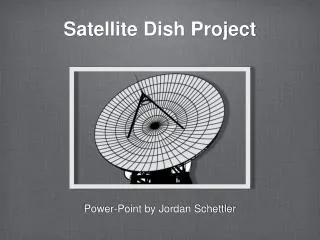
SATELLITE MIGRATION PROJECT Contractor Orientation
SATELLITE FREQUENCY DAW-Mini 4400/5400 • Press “menu” button and select “installation”. • Go to “factory reset” and press “ok”.
SATELLITE FREQUENCY DAW-Mini 4400/5400 • Enter “access code”, default is “1234”. • Select and press “ok”, wait for the Philippine Multi-Media System, Inc. Logo.
SATELLITE FREQUENCY DAW-Mini 4400/5400 • The “first installation” prompt will appear, press “ok”. • Under “equipment” menu, select “none” and press “ok”.
SATELLITE FREQUENCY DAW-Mini 4400/5400 • Under “channel search menu”, select “manual” by pressing “green button” on the remote control. • Select “Add TP” by pressing the “blue button” on the remote control.
SATELLITE FREQUENCY DAW-Mini 4400/5400 • Select row of added TP (with check) and go to “freq” column, press “ok” to edit frequency. • Enter new frequency “12390” and press “ok”.
SATELLITE FREQUENCY DAW-Mini 4400/5400 • Go to “S/R” column, press “ok” to edit symbol rate. Enter symbol rate “25600” and press “ok”. • Go to “pol” column, press “ok” to edit polarity to “v” (vertical).
SATELLITE FREQUENCY DAW-Mini 4400/5400 • Repeat steps 8-12 but enter the frequency “12430” in step 10. • Repeat steps 8-12 but enter the frequency “12470” in step 10.
SATELLITE FREQUENCY DAW-Mini 4400/5400 • Press “exit” on remote. Select “network” by pressing “yellow button” on the remote control. • Unit will perform “channel scan”, after completion press “exit”.
SATELLITE FREQUENCY DAW-Mini 4400/5400 • A “warning” prompt will appear, press “ok” to save. • Press “exit” to view channels.