Unified Messaging: Streamlining Communication for Enhanced Efficiency and Connectivity
Unified Messaging (UM) empowers users to access all communications—voice, fax, and email—anytime and from any device. This technology keeps mobile workers connected, improves customer satisfaction, and boosts organizational efficiency while promising a fast return on investment (ROI). There are three UM flavors: Server Based, Client Based, and Simple Based, each offering different levels of integration and accessibility. Key considerations include functionality, compatibility with existing systems, and user training. Discover the best UM system for your organization's needs.

Unified Messaging: Streamlining Communication for Enhanced Efficiency and Connectivity
E N D
Presentation Transcript
Implementing Unified Messaging Joseph Blanchard Joseph Mancuso S. Paul Petroski
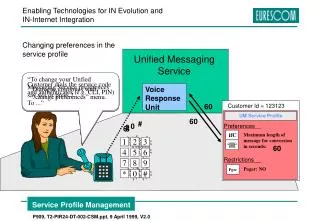
What is Unified Messaging? • Anytime, anywhere access to all your messages from any device • Get all messages – voice, fax, and e-mail via the telephone, wireless device, or computer anytime
Take Control of Communications • Keep mobile workers connected • Improve customer satisfaction • Increase efficiency • Realize a fast Return on Investment (ROI) • Natural extension of electronic mail
Three Flavors Available • Server Based • All messages (voice, fax, & e-mail) are placed into a single server, the e-mail server • Access to voice messages using familiar e-mail clients (desktop, web, or PDA) • Client Based • Voice & fax remain on separate servers, e-mail remains on the e-mail server • Common access to these messages is through a common e-mail client that accesses both e-mail inbox and voice inbox on voice server • Simple Based • Copies of voice & fax messages are sent to the users at a specified e-mail address as an attachment • The true messages remain on the voice & fax servers
Flexibility is the Key • Before purchasing any unified messaging system, consider three elements: • What is the functionality you are trying to gain? • The solution must function in your existing environment as well as any new environments that may come with system upgrades • Evaluate what the impact will be on your existing enterprise systems as you add these new solutions
Know Your Options • Be aware of choices in the market • Evaluate numerous systems • Compare functionality offered by each vendor • What is the impact to your organization once deployed (support, helpdesk, maintenance)? • Not all users need the same set of features.
HISTORY • Centrex 5ESS customer-6,000 Analog lines • Traditional Voice Mail System-Octel Aria Signature 250, 3,600 Mailboxes • Microsoft Exchange 2003 environment for Email
NEW AVST SYSTEM • CallXpress Version 7.80 • Features: • Unlimited storage • Unified Messaging • Enhanced Communication
Lessons Learned • Plan, Plan & then Plan more!! • Involve all your vendors • Allow enough time to transition • Clean up data before you convert • Communicate to end users, over & over • Get more than ½ day of training • Phase in the implementation
Lessons Learned Continued • Provide FAQs for end users • Don’t under estimate the issues with change
Staff Involved • Clerical staff • Voice Mail Administrator • Senior Email Administrator • Unified Messaging Vendor • Local Telephone Vendor • Management
Technology Issues • Server that communicates with the PBX must be connected to the LAN that supports the site’s e-mail system • Ensure current e-mail system meets the minimum software requirements • LDAP must be enabled on e-mail server • Ensure text-to-speech conversion channels are enabled • Ensure correct network protocols are to communicate with the e-mail server • Depending on the e-mail features you require, you may need additional memory on the server between the PBX and the e-mail system. • Ensure the telephone vendor has the proper wiring configuration required for the SMDI link (Centrex application) • Ensure that new system emulates commands from previous system for user-friendly operation.