Download
1 / 16
160 likes | 286 Views
eSL (easy to use Social Network Language) simplifies the construction and manipulation of social network graphs. Designed for users with minimal programming experience, eSL allows quick querying and efficient management of user relationships within a network. The system features a graphical user interface for visualization, making it accessible and user-friendly. With just a few lines of code, users can find commonalities among members, build connections, and retrieve insights swiftly. Future work aims to introduce parallel processing and community detection functionalities.

E N D
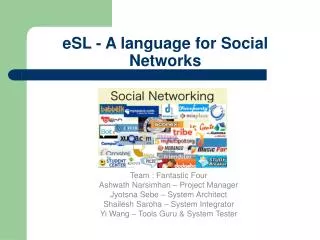
eSL - A language for Social Networks Team : Fantastic Four Ashwath Narsimhan – Project Manager Jyotsna Sebe – System Architect Shailesh Saroha – System Integrator Yi Wang – Tools Guru & System Tester
Introduction • easy to use Social Network Language (eSL) • It provides easy to understand data structures and iterations that help a user to construct and manipulate a graph built for social networks. • Features:- • Imperative • Interpreted • Query Language
Basic Motivation Constructing and Managing social network graphs. Simple functionalities like querying for commonalities in users can be performed in a few lines of code. Easy to understand and use – small learning curve. Targeted at people with very little programming background and help them interface applications to analyze social networks. Easy to visualize social networks – GUI. Quick results.
Sample Scenario • Question: librarian wants to find all users interested in a particular book world wide. • How do we represent this? • How can we speed things ? • How can eSL help librarian?
Implementation and Samples Graph - primitive data type, represents a particular social network. Member – primitive data type, represents a user (node) in that social network. peer1.friends represents friends of a member called peer1. Query - primitive data type, that helps in retrieving nodes that share commonalities. Input – input is an XML file containing the members in a network. Output – a window showing node attributes and connection. Also supports adding new attributes and members to the graph.
Sample1.esl Create a Social Network main() { /* Create new Graph, storing it in XML file */ Graph g = "socialnetwork.xml"; /* Declare four members */ Member m1<"Yi",“Wang"> , m2<"Jyotsna",“Sebe"> , m3<"Ashwath",“Narsimhan"> , m4 <"Shailesh",“Saroha">; /* add information for the members */ m1.info add <"location","NY">,<"Major","cs">,<"country","China">,<"hobby","music">; m2.info add <"location","NY">,<"Major","cs">,<"country","India">,<"hobby","reading">; m3.info add <"location","NY">,<"Major","cs">,<"country","India">,<"hobby","painting">; m4.info add <"location","NY">,<"Major","cs">,<"country","India">,<"hobby","game">; /* Add memebers to graph */ g add m1 , m2 , m3 , m4; /* Visualize the graph */ display(g); }
Sample2.esl Establish Friendship main() { /* Read from the existing graph stored in XML file */ Graph g = "socialnetwork.xml"; Member m1<"Yi","Wang"> , m2<"Jyotsna","Sebe"> , m3<"Ashwath","Narsimhan"> , m4 <"Shailesh","Saroha">; /* Connect the nodes */ m1.friends add m2, m3, m4; m2.friends add m1, m3 ,m4; m3.friends add m1, m2, m4; m4.friends add m1, m2, m3; g update m1 , m2, m3 , m4; /* Visualize the graph */ display(g); display(m1); }
Sample3.esl Query main() { Graph g = “MyGraph.xml”; Query q = <“location”,”ny”> &&(<“favbooks”,”Shakesphere”> ||<“major”,”literature”> ); Member [] members = search(g,q); display(members); }
eSL Architecture ANTLR LEXER/PARSER/WALKER CUSTOM JAVA CLASSES INTERPRETER Esl Source Program File (*.esl) OUTPUT
Test Plan White box Testing – Each developer responsible. Integration Testing – System Integrator. System Testing – System Architect. Testing Tool - TestNG
Tools & Environment Tools SVN – configuration management Eclipse – Eclipse version 3.4 (Java) - SDK ANTLR – 2.7.6 – Lexer, Parser, Tree-Walker Google docs – Documentation and recording results Libraries Jgraph – Visualization of the graphs. TestNG – Writing test cases Java Swings - Display
Lessons Learnt Database backend, difficult to interface. Improved Debugging skills Explored boost graph libraries- couldn’t use them for social networks. Compiler approach was time consuming- > backtracked and decided to use an interpreter instead. Incremental Approach – the best!!
Conclusion • User friendly • Good visualization • Free of cost Future Work • Parallelism • Communities