Exciting Updates in In10sity: Enhanced Features and Improved User Experience
Discover the latest updates to In10sity, featuring expanded editing windows and user-friendly font options. Enjoy improved bullet and numbering consistency, enhanced link management, and new formatting capabilities including cut-copy-paste, undo/redo, and spell check. The updated interface offers better left menu text alignment and simplifies copying from Word. Experience increased writing space in calendar templates and enhanced photo album options. With a total of 24 improvements, In10sity is designed to boost your productivity and streamline your editing process.

Exciting Updates in In10sity: Enhanced Features and Improved User Experience
E N D
Presentation Transcript
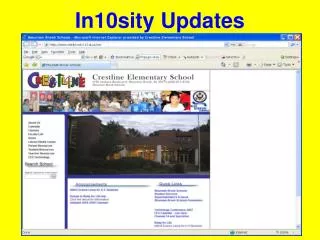
In10sity Updates NEW Screen Size Original Screen Size
Changes Already in Place • Consistency with Bullets and Numbers • Multiple links in a list
New In10sity Features Expanded Editing Window
User-friendly Font Options Preset text replaced with Arial font sizes 8, 10, 11, 12, 13, 14 and 16 User-friendly Font Options
Additional Formatting Options Cut-Copy-Paste Undo/Redo Justify Spell check Preview before save Subscript Superscript Decrease/Increase indent Insert/ Edit Links Special Characters Additional Formatting Options
In10sity Features • Improved left menu text alignment • Easier copying and pasting from Word • Expanded and centered pages • Increased Calendar template writing space • Improved Photo Album options • Preview Button
Total of 24 In10sity Improvements