Clone Salesforce Dashboards
Easily clone Salesforce Dashboards across orgs with migSOu2019s step-by-step guide, saving time, ensuring accuracy, and boosting reporting consistency. https://migso.io/our-blog/guide/guide-to-clone-salesforce-dashboards-by-using-migso/

Clone Salesforce Dashboards
E N D
Presentation Transcript
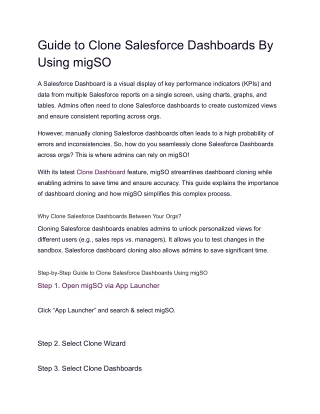
Guide to Clone Salesforce Dashboards By Using migSO A Salesforce Dashboard is a visual display of key performance indicators (KPIs) and data from multiple Salesforce reports on a single screen, using charts, graphs, and tables. Admins often need to clone Salesforce dashboards to create customized views and ensure consistent reporting across orgs. However, manually cloning Salesforce dashboards often leads to a high probability of errors and inconsistencies. So, how do you seamlessly clone Salesforce Dashboards across orgs? This is where admins can rely on migSO! With its latest Clone Dashboard feature, migSO streamlines dashboard cloning while enabling admins to save time and ensure accuracy. This guide explains the importance of dashboard cloning and how migSO simplifies this complex process. Why Clone Salesforce Dashboards Between Your Orgs? Cloning Salesforce dashboards enables admins to unlock personalized views for different users (e.g., sales reps vs. managers). It allows you to test changes in the sandbox. Salesforce dashboard cloning also allows admins to save significant time. Step-by-Step Guide to Clone Salesforce Dashboards Using migSO Step 1. Open migSO via App Launcher Click “App Launcher” and search & select migSO. Step 2. Select Clone Wizard Step 3. Select Clone Dashboards
Step 4. Select Source Org Step 5. Select Folder Step 6. Choose Dashboards & Deploy Step 7. Review Deployment Status Step 8. Download Report ● Woohoo! You have successfully executed the Clone Dashboard from one org to another. Going through the Migration Wizard Logs You can access the deployment history by moving to Migration Wizard Logs. You’ll find a list of all metadata operations executed in your org for the specified dates.
● Click on the recently deployed Salesforce dashboards here. ● Here, you’ll get the details of the cloned dashboard. ● To download the deployment report in Excel format, head to the Related tab and click on the file. Conclusion Admins can effortlessly manage metadata across their orgs using migSO. This magnificent app empowers admins to Clone Salesforce Dashboards effortlessly thanks to its robust functionality. You can seamlessly migrate Salesforce Dashboards without needing to create them from scratch every time. Rethink metadata management and maximize your productivity with migSO!
https://migso.io/our-blog/guide/guide-to-clone-salesforce-dashboards-by-using-migso/