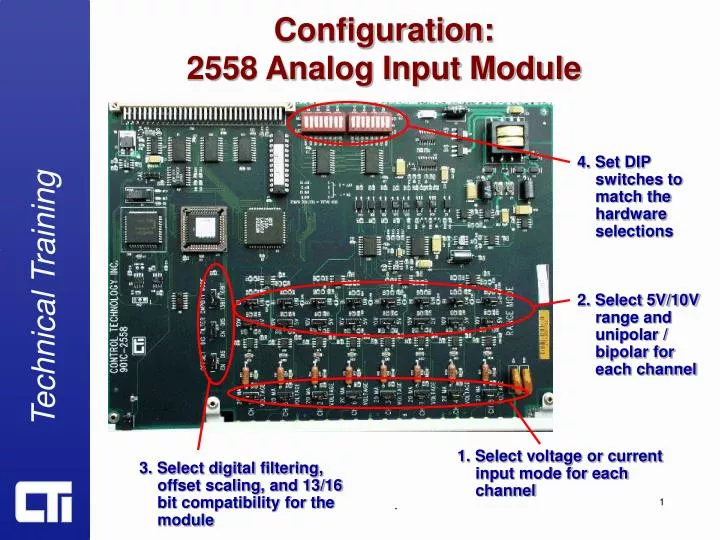
Configuration Guide for 2558 Analog Input Module Setup
40 likes | 159 Views
This guide provides step-by-step instructions for configuring the 2558 Analog Input Module. It covers setting the DIP switches as per hardware selections, selecting voltage (5V/10V) or current (20mA) modes for each channel, and choosing between unipolar and bipolar configurations. Additionally, it includes options for digital filtering, offset scaling, and compatibility settings, ensuring all channels are correctly configured. Follow this guide to optimize your module's performance according to your specific requirements.


Configuration Guide for 2558 Analog Input Module Setup
E N D
Presentation Transcript
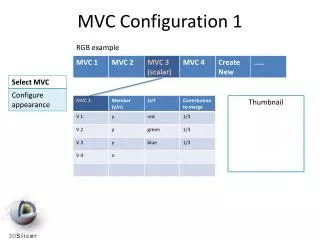
Configuration:2558 Analog Input Module 4. Set DIP switches to match the hardware selections 2. Select 5V/10V range and unipolar / bipolar for each channel 1. Select voltage or current input mode for each channel 3. Select digital filtering, offset scaling, and 13/16 bit compatibility for the module .
Configuration:2558 Analog Input Module Select voltage or 20mA for each channel Select 10V or 5V range for each channel Select bipolar (+/-) or unipolar (+ only) for each channel .
Configuration:2558 Analog Input Module Select 4-20ma offset for the module Select compatibility mode (13bit = Siemens 6108) Select digital filtering for the module Note: These settings affect all channels .
Configuration:2558 Analog Input Module Configure DIP switches to match range and polarity hardware setting on each channel 00 = unipolar 5V 01 = unipolar 10V 10 = bipolar 5V 11 = bipolar 10V .