Exploring Initial Condition Input Approaches in the PTC_TWISS Module
100 likes | 220 Views
This document discusses three approaches for initializing conditions in the PTC_TWISS module developed by Kaizhi Zhang. The methodologies include reading from a map table, manually inputting transfer matrix elements, and transforming Twiss parameters into matrix elements. Examples illustrate the acquisition of Twiss values at various points in a transfer line, emphasizing the necessity of careful handling of coupled cases. Proper safeguarding of the code against failures is also highlighted, marking the start of robust implementations.


Exploring Initial Condition Input Approaches in the PTC_TWISS Module
E N D
Presentation Transcript
Input of PTC_TWISS module Kaizhi Zhang 2005.07.04
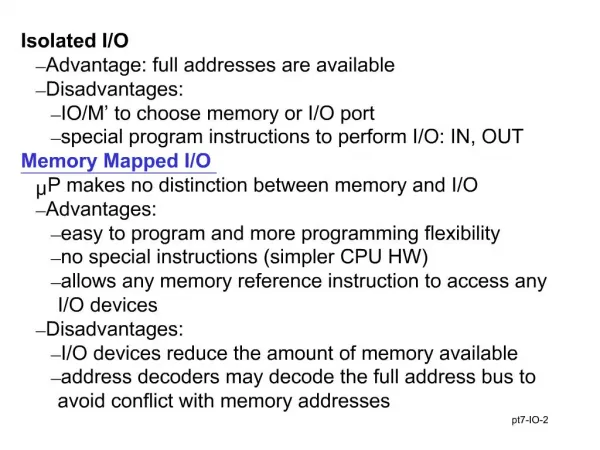
3 approaches for initial condition input • The point • 3 approches – example file • Read from map_table • Input the elements of transfer matrix manually • Input twiss values and transform to elements of matrix • data_block • Manually • Meaningless when coupled
Example.1 input from the beta0 block • At the end of the ring, data_block is produced SAVEBETA, label=TWSSip, place=#E,sequence=fivecell; select,flag=twiss,column=name,s,betx,bety,dx,dy; • At the start ponit of the line, beta0 block is introduced ptc_twiss,icase=5,no=1,BETA0=TWSSip Resulted twiss values Ring line
Input twiss parameter instead Input betx,alfx,mux,…,muy,and dx, dpx, …, dpy, if betz,alfz,mz<>0,the matrix is overlaid with dx, dpx, …, dpy=0 Using To construct matrix or
Example 2: input twiss parameter manually betx=177.6823337,bety=32.05718846,alfx=-2.411683347, alfy=0.4797516839, dx=2.176379444,dpx=0.02964538223,mux=1.254518853,muy=1.25446531, Twiss values along tranferline
From the map_table At the end of the ring, map_table is created ptc_normal,closed_orbit,maptable,icase=5,no=1 At the beginning of the line, the values are input from map_table with initial_matrix_table.and.k<>-1 k = double_from_table("map_table ", “coef ", 1, d_val) to take “coef” from map_table, then put to the component of taylor series.
Example 3: Read transfer matrix from table • Map_table Result from example1 • Twiss values of transferline: the same as from betablock
Coupled case Kick is added: acbv1=1e-6; acbv2=1e-6; acbv3=1e-6; acbv4=1e-6; acbv5=1e-6; Closed_orbit transferline
Example 4 : Input transfer matrix coef manually • Input elements of matrix directly with Initial_matrix_manual • Command line: ptc_twiss,icase=5,no=1,initial_matrix_manual re11=-2.4571122533365,re12=176.79612000630,re13=0.23000824922475E-01, re14=1.0688611352549,re16=2.3391750911139,re21=-.38675166732927E-01, re22=2.3757451844819,re23=0.59429549540250E-03,re24=0.21234193844153E-01, re26=0.44298917404022E-01,re31= -.13869369418419E-01,re32=1.1108843741365, re33=0.44540891438146,re34=32.763919904586,re36=0.23713296091797E-02, re41=-.10425674606620E-03,re42=0.18936158169385E-01,re43=-.37799347979450E-01, re44=-.53503193709587,re46=-.94686370477940E-03, Twiss values along transferline
Now the main features of ptc_twiss module are in place. • What is left to be done is to safeguard the code against failure. • That is the begining.