Download
1 / 9
90 likes | 205 Views
In this lesson, we focus on understanding the concepts of control and programming using Flowol. By the end, you will be able to identify automated systems and create simple Flowol programs. An automated system performs tasks without manual assistance, like a kettle that turns off when the water boils. We'll explore basic programming sequences through examples like washing machines and lights. You'll also learn about common outputs such as motors and alarms, and how to use flowchart symbols to represent programming concepts effectively.

E N D
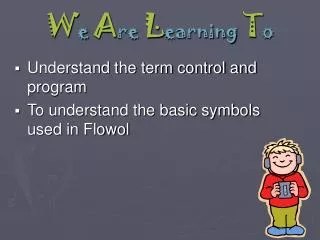
We Are Learning To • Understand the term control and program • To understand the basic symbols used in Flowol
What Iam Looking For By the end of the lesson you will: • Be able to identify an automatic system • To be able to produce a simple Flowol Program
Automation • An automated system is one that does something automatically. • The kettle switches itself off when it has boiled. • Think of 3 more examples of automation you see regularly
A Program • A sequence of instructions that can be followed to achieve the desired result. • You will use Flowol to write simple programs to control mimics. A mimic is a simulation of a real event
Example • Washing clothes • You select a specific wash programme on your washing machine, e.g. woollens and delicates • the washing machine follows the set of program instructions that correspond to that programme.
Output • Common forms of output • Turning lights on and off • Turning motors on and off • What are the outputs for the following? • Street light • Smoke detector • Burglar alarm
Flowchart symbols Start or stop Input or output Process Decision Subroutine
Out 3 Out 2 Out 1 Out 4 Out 5 IN 1 Traffic Lights mimic
Out 3 Out 2 Out 1 Out 4 Out 5 IN 1 Example program Start Turn Output 1 on Delay 1 Turn Output 1 off Stop