Download
1 / 9
90 likes | 208 Views
This guide focuses on ensuring data accuracy in employment and educational metrics through effective error diagnosis and correction. It covers strategies for matching data related to employment, GED graduates, and survey follow-ups for exited students. Key recommendations include running diagnostic reports monthly, checking survey boxes in LACES, and utilizing fiscal year reports to identify and rectify errors. By following the outlined steps, users can maintain data integrity, streamline reporting processes, and enhance the utility of the data collected.

E N D
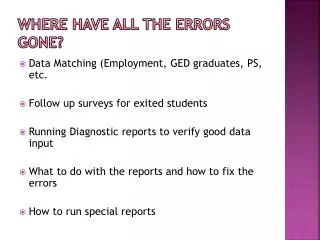
Where Have All The Errors Gone? • Data Matching (Employment, GED graduates, PS, etc. • Follow up surveys for exited students • Running Diagnostic reports to verify good data input • What to do with the reports and how to fix the errors • How to run special reports
Follow Up Surveys For Exited Students • The follow up survey boxes for the exited students should be checked off. • Recommended to check of the survey boxes in LACES by student.
Running Diagnostic Reports To Verify Good Data Input • Recommended to do the FY Summary before running the FY diagnostic report. • Recommended to run the diagnostic reports at least once a month. • The diagnostic report will help you keep good data input.
What To Do With the Reports and How to fix the Errors • The Fiscal Year Diagnostic reports helps you locate errors • When you click on one of the areas, it will bring up a list of students that you will need to open up individually and make the necessary corrections. • When you go back to the list, the student should have disappeared from the list. • Repeat process until all students are gone.
How To Run Special Reports • Reports can be created through the FY diagnostic reports. • Reports are readily available through LACES on the FIND tab • Reports can be viewed and/or queried. • Reports can be exported to excel.