Essential Computer Security Tips for Safe Online Experiences
Are you concerned about staying safe online? This presentation offers crucial insights into computer security, guiding you on how to protect your personal information, recognize potential threats, and use effective security software. Learn the importance of keeping your operating system and browser updated, safeguarding your passwords, and backing up important files. Discover what to do in case of an emergency, including reporting incidents to authorities. Empower yourself with the knowledge needed to navigate the digital landscape securely.


Essential Computer Security Tips for Safe Online Experiences
E N D
Presentation Transcript
Computer Security By Joey Pawoll
Introduction to computer security • Have you been wondering how to be safe online? Well look no further! This powerpoint will help you understand!
Table of Contents • Protect your personal information. It's valuable. • Know who you're dealing with. • Use security software that updates automatically. • Keep your operating system and Web browser up-to-date, and learn about their security features. • Protect your passwords. • Back up important files. • Learn what to do in an e-mergency. • Works Cited
Protect your personal information. It's valuable. • Information can include • Financial records • Credit Card information • Bank Accounts • Don’t click on pop-ups • Don’t reply to unknown emails. • Hackers can get into large databases. • Read Privacy Policy
Know who you're dealing with. • Call Seller’s Phone to know who you are dealing with. • Search the internet for website reviews.
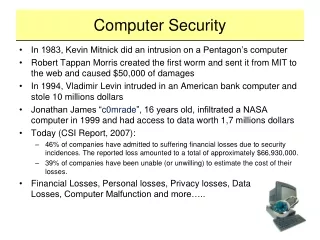
Use security software that updates automatically. • Don’t download ads claiming to have scanned you computer • Use anti-virus, anti-spyware, and a firewall
Security software Tips • Anti-virus makers are making security software faster, stronger, smarter, and less demanding. • Free Protection is OK. • But try to get more powerful anti-virus software, because they come with better features. • Companies are spending more on protecting their internet.
Keep your operating system and Web browser up-to-date, and learn about their security features. • Update regularly
Protect your passwords. • Mix up letters, numbers, and symbols • Change it regularly
Backup Important files • Back up important files.
Learn what to do in an e-mergency. • Report a virus to the FBI • Report at www.ic3.gov
Works Cited • http://www.google.com/imgres?imgurl=http://www.pchelp-bristol.co.uk/Images/Page/virusscreen.JPG&imgrefurl=http://www.pchelp-bristol.co.uk/&usg=__kfrWmQSByZ7qWDSRCaQ4rzYvdZQ=&h=357&w=336&sz=58&hl=en&start=15&zoom=1&tbnid=GgPAOPt13uP-rM:&tbnh=144&tbnw=153&prev=/images%3Fq%3Dvirus%2Bpc%26um%3D1%26hl%3Den%26client%3Dfirefox-a%26rls%3Dorg.mozilla:en-US:official%26biw%3D1024%26bih%3D578%26tbs%3Disch:10%2C285&um=1&itbs=1&iact=hc&vpx=466&vpy=256&dur=1167&hovh=231&hovw=218&tx=110&ty=130&ei=Qhh4TJumFcT48Abj-ITXBg&oei=NRh4TKfOEsG88gbY7uzlBQ&esq=2&page=2&ndsp=13&ved=1t:429,r:2,s:15&biw=1024&bih=578 • http://www.google.com/imgres?imgurl=http://www.iconarchive.com/icons/ruby-software/toolbar/256/save-icon.png&imgrefurl=http://www.iconarchive.com/show/toolbar-icons-by-ruby-software/save-icon.html&usg=__jzrexbZA4NugeXuyn8kkp8tt56Q=&h=256&w=256&sz=9&hl=en&start=0&zoom=1&tbnid=MuAcADpC5C7xjM:&tbnh=175&tbnw=179&prev=/images%3Fq%3Dsave%2Bfile%2Bicon%26um%3D1%26hl%3Den%26client%3Dfirefox-a%26hs%3DzQQ%26sa%3DN%26rls%3Dorg.mozilla:en-US:official%26biw%3D1024%26bih%3D578%26tbs%3Disch:10%2C76&um=1&itbs=1&iact=hc&vpx=361&vpy=130&dur=616&hovh=185&hovw=185&tx=151&ty=71&ei=4Bh4TLnRE8T58AaW18D-BQ&oei=4Bh4TLnRE8T58AaW18D-BQ&esq=1&page=1&ndsp=8&ved=1t:429,r:1,s:0&biw=1024&bih=578 • http://mac.softpedia.com/progScreenshots/Vladstudio-Snow-Leopard-Wallpaper-Set-Screenshot-62293.html • http://g.emule.com/animator-vs-animation-2/animator-vs-animation-2.gif • http://www.google.com/imgres?imgurl=http://www.artistsvalley.com/images/icons/Network%2520Security%2520Icons/Virus%2520Alive/256x256/Virus%2520Alive.jpg&imgrefurl=http://www.artistsvalley.com/previewicons-Network-Security-Icons/virus_alive-icon.html&usg=__i4V0_PfAGMIrAAzQB02eU2slSZ0=&h=256&w=256&sz=50&hl=en&start=0&zoom=1&tbnid=LMefeS4_A5SfFM:&tbnh=129&tbnw=129&prev=/images%3Fq%3Dvirus%2Bicon%26um%3D1%26hl%3Den%26client%3Dfirefox-a%26rls%3Dorg.mozilla:en-US:official%26biw%3D1024%26bih%3D578%26tbs%3Disch:1&um=1&itbs=1&iact=rc&dur=324&ei=mht4TOiPA8L58AazivnJBw&oei=dBt4TMarLMH38AaxyoyCBg&esq=10&page=1&ndsp=16&ved=1t:429,r:1,s:0&tx=34&ty=72 • http://www.google.com/imgres?imgurl=http://i47.photobucket.com/albums/f172/hdnt/mycomputervistaicon.jpg&imgrefurl=http://computerbasicslearning.blogspot.com/2009/04/where-is-my-computer-located.html&usg=__UR9r25awWxtY2jeSRwW8dHv_Cv4=&h=471&w=662&sz=29&hl=en&start=0&zoom=1&tbnid=YczhGsHxnkzeaM:&tbnh=169&tbnw=241&prev=/images%3Fq%3DMy%2Bcomputer%2Bdesktop%2Bicon%26um%3D1%26hl%3Den%26client%3Dfirefox-a%26rls%3Dorg.mozilla:en-US:official%26biw%3D1024%26bih%3D578%26tbs%3Disch:10%2C95&um=1&itbs=1&iact=hc&vpx=717&vpy=106&dur=450&hovh=189&hovw=266&tx=83&ty=139&ei=fhx4TLyUNMOC8gbAk-DrBQ&oei=fhx4TLyUNMOC8gbAk-DrBQ&esq=1&page=1&ndsp=8&ved=1t:429,r:3,s:0&biw=1024&bih=578