Computing in COBOL: The Arithmetic Verbs and Intrinsic Functions
450 likes | 714 Views
Chapter 7. Computing in COBOL: The Arithmetic Verbs and Intrinsic Functions. Chapter Contents. Basic Arithmetic Verbs Options Available with Arithmetic Verbs COMPUTE Statement Signed Numbers in Arithmetic Operations Intrinsic Functions. Basic Arithmetic Verbs.


Computing in COBOL: The Arithmetic Verbs and Intrinsic Functions
E N D
Presentation Transcript
Chapter 7 Computing in COBOL: The Arithmetic Verbs and Intrinsic Functions
Chapter Contents • Basic Arithmetic Verbs • Options Available with Arithmetic Verbs • COMPUTE Statement • Signed Numbers in Arithmetic Operations • Intrinsic Functions
Basic Arithmetic Verbs • ADD, SUBTRACT, MULTIPLY, DIVIDE • All require fields operated on to • Have numeric PICTURE clauses • Contain numeric data when statements executed
ADD … TO Statement Format 1 identifier-1 ADD … TO identifier-2 ... literal-1 • identifier-1 or literal-1 added to identifier-2 • Result stored in identifier-2
ADD … TO Examples Assume X, Y and Z are numeric fields X = 5, Y = 3 and Z = 7 ADD StatementResult Add X To Y Y = 8 Add X, 9 To Y Y = 17 Add X, 6, Y To Z Z = 21 • Identifiers preceding TO are unchanged • Value of identifier after TO • Used in ADD operation • Original value replaced with ADD result
ADD … GIVING Statement Format 2 identifier-1 ADD … GIVING identifier-2 ... literal-1 • Identifiers and literals preceding GIVING added together • Result stored in identifier-2
ADD … GIVING Examples Assume X, Y and Z are numeric fields X = 5, Y = 3 and Z = 7 ADD StatementResult Add X, Y Giving Z Z = 8 Add X, 10 Giving Y Y = 15 Add X, 4, Y Giving Z Z = 12 • Identifiers preceding GIVING are unchanged • Value of identifier after GIVING • Original value replaced with ADD result • May be report-item with edit symbols
Producing More Than One Sum • Several ADD operations can be done in single statement • Assume X, Y and Z are numeric fields X = 5, Y = 3 and Z = 7 ADD StatementResult Add X To Y, Z Y = 8, Z = 12 Add X, 6 Giving Y, Z Y = 11, Z = 11
ADD … TO vs ADD … GIVING • Use ADD … TO when original contents of result operand • Need to be included in operation • But are not needed after operation • Use ADD … GIVING when • Original contents of all operands except result field are to be retained • ADD HOURS-WORKED TO WEEKLY-HOURS • Vs. Giving
SUBTRACT Statement Format 1 identifier-1 SUBTRACT … FROM identifier-2 ... literal-1 • identifier-1 or literal-1 subtracted from identifier-2 • Result stored in identifier-2
SUBTRACT Examples Assume A, B and C are numeric fields A = 6, B = 2 and C = 18 SUBTRACT StatementResult Subtract A From C C = 12 Subtract B, 5 From C C = 11 Subtract B From A, C A = 4, C = 16
SUBTRACT … GIVING Statement Format 2 identifier-1 identifier-2 SUBTRACT … FROM literal-1 literal-2 GIVING identifier-3 ... • identifier-1 or literal-1 subtracted from identifier-2 or literal-2 • Result stored in identifier-3
SUBTRACT … GIVING Examples Assume A, B and C are numeric fields A = 6, B = 2 and C = 18 SUBTRACT StatementResult Subtract B From A Giving C C = 4 Subtract A From 15 Giving C C = 9 Subtract A, 4 From C Giving B B = 8
MULTIPLY Statement Format 1 identifier-1 MULTIPLYBY identifier-2 ... literal-1 • identifier-1 or literal-1 multiplied by identifier-2 • Result stored in identifier-2
MULTIPLY Examples Assume Q, R and S are numeric fields Q = 4, R = 7 and S = 5 MULTIPLY StatementResult Multiply Q By R R = 28 Multiply 10 By S S = 50 Multiply 2 By R, S R = 14, S = 10
MULTIPLY … GIVING Statement identifier-1 identifier-2 MULTIPLYBY literal-1 literal-2 GIVING identifier-3 ... • identifier-1 or literal-1 multiplied by identifier-2 or literal-2 • Result stored in identifier-3 Format 2
MULTIPLY … GIVING Examples Assume Q, R and S are numeric fields Q = 4, R = 7 and S = 5 MULTIPLYStatementResult Multiply Q By R Giving S S = 28 Multiply Q By 3 Giving S S = 12 Multiply 6 By Q Giving R, S R = 24 S = 24
MULTIPLY Statement • Only two operands can be multiplied using the MULTIPLY statement • To obtain product of 3 operands requires two instructions To find Price x Qty x Discount Multiply Price By Qty Giving WS-Amt Multiply Discount By WS-Amt
DIVIDE Statement Format 1 identifier-1 DIVIDEINTO identifier-2 ... literal-1 • identifier-1 or literal-1 divided into identifier-2 • Result stored in identifier-2
DIVIDE Examples Assume X, Y and Z are numeric fields X = 2, Y = 12 and Z = 8 DIVIDEStatementResult Divide X Into Y Y = 6 Divide 3 Into Y Y = 4 Divide 2 Into Y, Z Y = 6, Z = 4
DIVIDE … GIVING Statement Format 2 identifier-1 INTO identifier-2 DIVIDE literal-1 BY literal-2 GIVING identifier-3 ... • identifier-1 or literal-1 divided into or by identifier-2 or literal-2 • Result stored in identifier-3
DIVIDE … GIVING Examples Assume X, Y and Z are numeric fields X = 2, Y = 12 and Z = 8 DIVIDEStatementResult Divide X Into Y Giving Z Z = 6 Divide Y By X Giving Z Z = 6 Divide 16 By Z Giving X, Y X = 2 Y = 2
REMAINDER Clause • Optional clause with DIVIDE used to store remainder of division • Assume Q and R have PICTUREs of 99 Divide 70 By 15 Giving Q Remainder R • Stores quotient 4 in Q and integer remainder 10 in R • What can this be used for??? • Same as MOD
ROUNDED Option • Arithmetic result truncated if room to store all decimal positions not available • Result of 3.89 stored in field with PIC 9V9 as 3^8 • Include ROUNDED to round result to PICTURE specification • Result of 3.89 stored as 3.9 if ROUNDED option used • Its actually adding .5 then truncating
ROUNDED Option Examples 01 Amt1 Pic 9V99 Value 2.25. 01 Amt2 Pic 999. Arithmetic statementResult Value Stored Multiply .3 By Amt1 .675 Amt1 = 0^67 Multiply .3 By Amt1 Rounded .675 Amt1 = 0^68 Divide 150 By 9Giving Amt2 Rounded 16.66… Amt2 = 017
Overflow or Size Error • Occurs when result value too large to be stored in result field • Result of this ADD statement is 1,075 Add 350 To 725 Giving Num • If Num has PICTURE of 999, only 3 digits can be stored • High-order digits truncated so 075 stored in Num
Checking for Overflow • Any arithmetic statement may include one or both size error clauses • ON SIZEERROR statement(s) • Specifies one or more statements to be executed if overflow (size error) occurs • NOT ON SIZEERROR statement(s) • Specifies one or more statements to be executed if overflow (size error) does not occur
SIZE ERROR Clause Example Add X To Y Giving Z On Size Error Display ' Result too large' Not On Size Error Perform Calc-Para End-Add • If sum of X and Y too large to store in Z, Display statement executed • If Z large enough for result, Calc-Para is performed • When using one or both clauses, use scope terminator to end arithmetic operation • END-ADD, END-SUBTRACT • END-MULTIPLY, END-DIVIDE
Size of Receiving Fields • Ensure receiving field has PICTURE large enough to store result • Addition - define resultant field one position larger than largest field added • Subtraction - define resultant field as large as number being subtracted from • Assumes positive numbers • Assumes smaller subtracted from larger number
Size of Receiving Fields • Multiplication - define resultant field equal to sum of lengths of operands begin multiplied • Division - define resultant field equal to sum of number of digits in divisor and dividend
COMPUTE Statement • General arithmetic statement using symbols in place of arithmetic verbs SymbolVerb + ADD - SUBTRACT * MULTIPLY / DIVIDE ** exponentiation
COMPUTE Statement arithmetic-exp-1 COMPUTEidentifier-1 … = literal-1 identifier-2 • Identifier to left of equal sign set to value of arithmetic-expression, literal or identifier on right of equal sign Format
COMPUTE Examples Assume X, Y and Z are numeric fields X = 9, Y = 4 and Z = 12 COMPUTE StatementResult Compute Z = X * Y Z = 36 Compute X = Z - Y + 2 X = 10 Compute X = Y X = 4 Compute Z = Y ** 2 Z = 16
Order of Evaluation • Arithmetic expression may include any combination of symbols +, -, *, / or ** • Order of operations 1. ( ) override rules 1-3, all operations in ( ) performed first 2. ** all exponentiation performed first 3. * or / in order or appearance left to right 4. + or - in order or appearance left to right Same rules apply here as standard math
COMPUTE Examples Assume X, Y and Z are numeric fields X = 6, Y = 18 and Z = 5 COMPUTE StatementResult Compute Z = Y / X + 3 Z = 6 Compute Z = Y / (X + 3) Z = 2 Compute Y = Z + X * 10 Y = 65 Compute Y = Z * X / 10 Y = 3
COMPUTE Statement • COMPUTE can include same optional clauses used with other arithmetic verbs • ROUNDED follows result field (identifier preceding equal sign) • If ON SIZE ERROR or NOT ON SIZE ERROR clauses used, include scope terminator END-COMPUTE
Signed Numbers • Use S in PIC clause of result field if • Numbers used in calculation may be negative • Calculation may produce negative results • PIC clause without S assumed to be unsigned • If negative result stored in unsigned field, sign not retained • We discussed this already
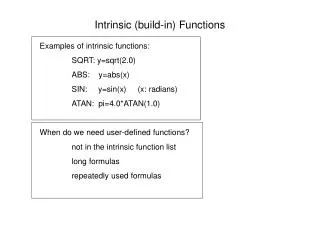
Intrinsic Functions • Built-in procedures to perform particular task like • Find square root of number • Convert letters to uppercase • Get current date • Looks like our compiler handles these because of Lab 2 with the NUMVAL function
Intrinsic Functions Example Find square root of X and place result in Y Compute Y = Function Sqrt(X) • Value of X passed to function called Sqrt • Code in function finds square root of X • Result returned by Sqrt assigned to Y
Intrinsic Functions Example Convert More-Data to uppercase Move Function Upper-Case (More-Data) To Up-More-Data • If More-Data = "Yes", function Upper-Case returns value "YES" • Value "YES" moved to Up-More-Data
Intrinsic Functions • Output of function - result returned after function performs its task • Function returning alphanumeric result used in statements using alphanumeric data-items • Function returning numeric result can be used only in arithmetic expressions, of course • Page 283 – 288 has a list of several categorized by type
Chapter Summary • ADD, SUBTRACT, MULTIPLY, and DIVIDE verbs • format without GIVING • Receiving field is part of arithmetic • May not be report-item • with GIVING format • Receiving field is not part of arithmetic • May be report-item
Chapter Summary • COMPUTE used for any combination of arithmetic operations • Order of evaluation of operators 1. ** 2. * or / in sequence left to right 3. + or - in sequence left to right 4. ( ) override normal hierarchy rules
Chapter Summary • ROUNDED can follow receiving field in any arithmetic verb • ON SIZE ERROR, NOT ON SIZE ERROR • Can be used with any arithmetic verb • Include scope terminator (e.g., END-ADD)
Chapter Summary • Intrinsic functions added as COBOL extensions in 1989 • Calendar • Numerical analysis • Statistical • Trigonometric • Financial • Character and String