Understanding Variables and Assignment in Python Programming
In this overview of variables and assignment in Python programming, we explore the fundamentals of storing and managing data in memory. Learn how to read and write values into memory locations and convert temperature from Celsius to Fahrenheit using variables. Discover the rules for naming variables, the importance of namespaces, and the use of expressions and operators in assignments. Understand how functions work and how to combine values effectively. This guide will enhance your programming skills and help you grasp the integral concepts of data manipulation in Python.

Understanding Variables and Assignment in Python Programming
E N D
Presentation Transcript
Variables and Assignment CSIS 1595: Fundamentals of Programming and Problem Solving 1
Computing and Memory • All computing in terms of memory locations • Storing values into locations in memory • Readingvalues from locations in memory • Example: Converting Celsius temperature to Fahrenheit • Get Celsius temp from user, store in location 1 • Compute 1.8 x value in location 1, add 32, store in location 2 • Output value in location 2 to user
Variables • Variable name given to location in memory • Example: Converting Celsius temperature to Fahrenheit • Get Celsius temp from user, store in celsius_temperature • Compute 1.8 x celsius_temperature+ 32, store in fahrenheit_temperature • Output value of fahrenheit_temperatureto user
Namespaces • Python environment / operating system maps variables to locations in memory • Namespace: list of variables and corresponding values currently active in Python environment • Variable added to namespace when first used • Other languages require variable to be declared first • Can use id(variable) function to find actual numeric id Python uses for variable
Naming Variables • Rules (different in other languages) • Must start with letter or underscore • Rest may contain letters, underscores, and digits • Cannot contain spaces or other characters • Case sensitive • Cannot be Python keyword • Should be descriptive (readability)
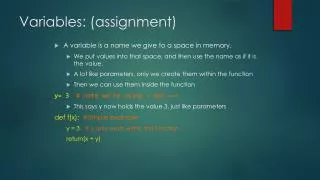
Assignment • Storing values into variables • Syntax: variable = expression • Expression evaluates to a value • That value stored in the variable • Not same as = in math!x = 7 assigns the value 7 to x7 = x not legal!
Expressions • Expressions (on RHS of assignment) may contain: • Literals (fixed values) • Numbers 2, 3.5, -12.6, etc. • Strings (must be inside quotes) “John” • Booleans True, False • Variables • Must have already been assigned a value! • Functions • Must return a value
Functions • Predefined code with action based on list of arguments • Syntax: functionname(list of arguments) • multiple arguments separated by commas • May return a value (so can be part of expression) • Examples: • print(list of strings) Displays strings separated by spaces • input(prompt) Displays prompt, returns value entered by user • id(variable) Returns numeric id of variable in namespace
Expressions and Operators • Variables, literals, functions can be combined using operators • Most are binary operators combining 2 operands • Exception: unary minus sign -12 • Syntax: operandoperator operand • Example: Can append two strings using +string3 = string1 + string2
Example # Prompt the user for their first and last name first_name = input(“What is your first name? ”) last_name= input(“What is your last name? ”) # Combine the two into a full name # (separated by a space) full_name = first_name + “ “ + last_name # Display greeting to user with their full name print(“Hello”, full_name)