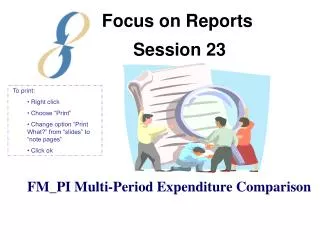
FM_PI Multi-Period Expenditure Comparison Report Guidelines
This report enables users to compare multiple periods of expenditures side-by-side. It provides a clear viewing of project and award expenses, summarized by budget category over specified timeframes. Users can format the report to display expenditures by projects or awards, which is particularly beneficial for monitoring program projects or awards with various sub-awards. The report facilitates informed decision-making by presenting expenditure rates over chosen periods.

FM_PI Multi-Period Expenditure Comparison Report Guidelines
E N D
Presentation Transcript
Focus on Reports Session 23 • To print: • Right click • Choose “Print” • Change option “Print What?” from “slides” to “note pages” • Click ok FM_PI Multi-Period Expenditure Comparison
Purpose of Report • To allow multiple period expenditures to be listed side by side for comparison purposes. • Standard PI (Header) Format
Two Format/tabs • Project Multi-Period Expenditures • Award Multi-Period Expenditures
Project Multi-Period Expenditures Doe, John 123456 UV-Project Smith, Jane GG00001 UV-Award 1 Doe, John 12345 UV-Department 5 P99 DK1234567-12 123456 UV-Project 1 GG00001 UV-Award 1 12345 UV-Department Project expenses summarized by Budget Category for a user specified number of periods. Useful to view the rate of expenditures over a period of months.
Award Multi-Period Expenditures GG00002 UV-Award 2 Doe, John 12345 UV-Department N 123456-12-1234 Doe, John 12345 UV-Project 2 12346 UV-Project 3 Doe, John 12348 UV-Project 5 12347 UV-Project 4 Doe, John 12349 UV-Project 6 Doe, John Doe, John Award expenses summarized by Project for a user specified number of periods. Useful for program projects or for an award with one or more sub-awards.