1 / 16

Podcasting for Libraries

Join Drew Smith, Information Literacy Librarian at the University of South Florida, as he explores the essentials of podcasting for libraries. Discover how to find and subscribe to podcasts on platforms like iTunes and Odeo. Learn about the equipment and software needed to create your own podcast, including microphones, audio editing tools, and hosting services. This session will equip you with the skills to enhance your library’s outreach through engaging audio content, alongside an interactive Q&A discussion.

raven
Download Presentation

Podcasting for Libraries

An Image/Link below is provided (as is) to download presentation Download Policy: Content on the Website is provided to you AS IS for your information and personal use and may not be sold / licensed / shared on other websites without getting consent from its author. Content is provided to you AS IS for your information and personal use only. Download presentation by click this link. While downloading, if for some reason you are not able to download a presentation, the publisher may have deleted the file from their server. During download, if you can't get a presentation, the file might be deleted by the publisher.

E N D

Presentation Transcript


  1. Podcastingfor Libraries presented by Drew Smith Information Literacy Librarian University of South Florida

  2. Podcast directories • iTunes • Odeo • Pluggd

  3. iTunes • Find podcasts • Subscribe to podcasts • Listen to podcasts

  4. RSS (Really Simple Syndication) • A type of file • Contains information that allows for subscribing to a “feed”
  5. To produce a podcast, all you need are…

  6. One or more hosts…

  7. A computer…

  8. A headset…

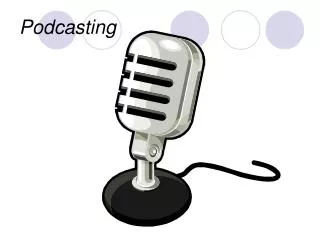
  9. Or a microphone…

  10. Or a nicer microphone and a mixer…

  11. And some speakers…

  12. Maybe a digital voice recorder…

  13. Audio editing software…

  14. File uploading software…

  15. A podcast hosting service…

  16. Questions and Discussion

More Related