Download
1 / 7
70 likes | 83 Views
WordPress Login URL is used for adding admin who works on the back-end of a website. The admin can install, delete and update the plugins and themes. Along with these they can also add new posts, edit the available posts by any visitors on the site, and update or delete those posts. In fact, the admin can even delete the whole website.

E N D
Find and Change the WordPress login URL WordPress Hosting
What do you understand by the term WordPress Login URL? WordPress Login URL is used for adding admin who works on the back-end of a website. The admin can install, delete and update the plugins and themes. Along with these they can also add new posts, edit the available posts by any visitors on the site, and update or delete those posts. In fact, the admin can even delete the whole website. The most essential aspects of website development using WordPress are finding your WordPress login URL then changing it and locking it down, how to customize the theme, and the last part how to secure the website.
Why is WordPress Login URL Important? WordPress admin dashboard is a panel where you change and update your WordPress websites. To access WordPress admin dashboard, we need WordPress Login URL, after accessing the admin dashboard, the user can manage website like: ● ● ● ● ● Install themes and plugins Add or update pages of your websites Publish new blog posts Update comments on your WordPress Customize your site using the theme customizer, etc.
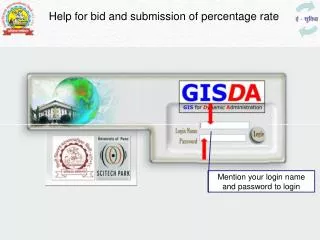
How to find your WordPress Default Admin login URL? You can easily find the WordPress Login URL, all you need to do is follow a few steps : These steps are: STEP 1: Refresh the page and redirect to WordPress installation, there you can add in the address bar /wp-admin/ or /wp-login/ or /login/ or /admin. STEP 2: After browsing any of these URLs, you can redirect to the admin page of your WordPress website. STEP 3: Here you have to enter your credentials. STEP 4: Now, in the credential, all you have to do is enter your login username and password in the given field. STEP 5: To access the admin page the very last step is you need to click on the login button.
How to remember your WordPress Default Admin login URL? ● The easiest way to remember the login page is to bookmark the login page of the WordPress websites. Other than bookmarking, you can add the login page and link it to your website from where you can open the login page from your homepage. Web Hosting dashboard provides an admin page from where you can log in to the WordPress admin page. ● ●
How to change your WordPress Default Admin login URL? For changing your WordPress Default Admin login to a new path, we need to install a plugin called ‘WPS Hide Login’. Steps to install the ‘WPS Hide Login’ plugin: Step 1: From the left sidebar of the WordPress admin panel, select Plugins>Add New. Step 2: Search ‘WPS Hide Login’ in the search box. Step 3: Install the plugins and Activate them, once found then, go to the Setting>General from the sidebar. Step 5: Scroll down the WPS Hide Login option from the sidebar. There are two fields shown there: ‘Login URL’ and the ‘Redirection URL’. Step 6: Now, you can add a new pathname to the Login URL field and just add 404 in the Redirection URL field. This 404 in the Redirection URL shows an error page when the user does not enter the correct path.