Download
1 / 15
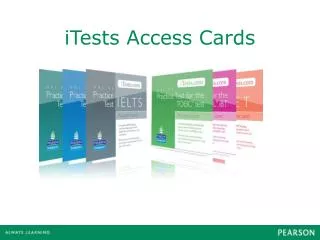
iTests Access Cards
150 likes | 297 Views
iTests Access Cards. Contents. Which access code do I need? How do I register an access code as a new user to iTests? How do I register an access code as a current iTests user? What happens if I have already taken some iTests? What do I do if I get an error message?. Which code do I need?.

Download Presentation 
iTests Access Cards
An Image/Link below is provided (as is) to download presentation
Download Policy: Content on the Website is provided to you AS IS for your information and personal use and may not be sold / licensed / shared on other websites without getting consent from its author.
Content is provided to you AS IS for your information and personal use only.
Download presentation by click this link.
While downloading, if for some reason you are not able to download a presentation, the publisher may have deleted the file from their server.
During download, if you can't get a presentation, the file might be deleted by the publisher.
E N D
Presentation Transcript
Contents • Which access code do I need? • How do I register an access code as a new user to iTests? • How do I register an access code as a current iTests user? • What happens if I have already taken some iTests? • What do I do if I get an error message?
If you need technical help to register your iTests access code, please contact itestsupport@pearsonlongmansupport.com







More Related