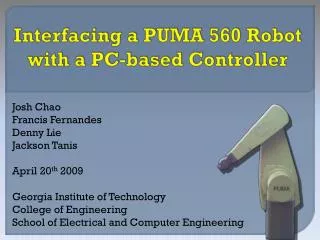
Interfacing a PUMA 560 Robot with a PC-based Controller
Interfacing a PUMA 560 Robot with a PC-based Controller. Josh Chao Francis Fernandes Denny Lie Jackson Tanis April 20 th 2009 Georgia Institute of Technology College of Engineering School of Electrical and Computer Engineering. Project Changes. Problems

Interfacing a PUMA 560 Robot with a PC-based Controller
E N D
Presentation Transcript
Interfacing a PUMA 560 Robot with a PC-based Controller Josh Chao Francis Fernandes Denny Lie Jackson Tanis April 20th 2009 Georgia Institute of Technology College of Engineering School of Electrical and Computer Engineering
Project Changes • Problems • CompactLogix L43 supports up to 4 axes • CompactLogix L45 supporting up to 8 axes could not be obtained Solution NI PCI-7356 Controller was used instead Core of project Interfacing PUMA motors with a PC-based controller
Technical Objectives • Interface the motor and control system • Control the motor’s position and speed • Provide GUI tracking motor’s movement • Establish groundwork for future ECE project • Control motor’s movement with load • Control multiple axes simultaneously
System Interface Diagram Controller Input Command Signal +/- Motor Driver ENABLE Input FAULT Output +24V +5V Motor +/- Supply Motor Encoder A,B, Index and Pot Signals
Voltage vs. RPM 10 V/kRPM 28 V/kRPM
Motor Driver Motor Driver Motor P.S. (+24V) P.S. (+5V) Trust Automation TA115 Controller Voltage Mode (Velocity) Current Mode (Torque) Logic Optoisolation
NI PCI - Controller Support 6-axis Quick Installation Onboard Processor LabView Interface
Hardware-Software Interaction Application Development Environment: NI LabView Driver Software: NI Motion Motion Controller: PCI 7356
Software Implementation Hardware Initialization Error Handling • Fast While Loop: • Output voltage control • Encoder reading • Analog input reading • Slow While Loop • (1 loop/sec): • Motor speed calculation
Demonstration When: April 28th at 5:00 pm Where: Room 113 in Van Leer Home Position Calibration Parameter Display Motor Movement
Problems • Delay in Parts Delivery • From Rockwell to NI • New Cables and Breakout Boards • Connector for Motors 1-3 • Encoder Index
Future Group Task Lists • Wire and Interface all 6 Motors • Change Program to Control all 6 Axis • Add Limit Switches Software Side • Install Motors into the Robot • Build Closed Loop PID Control System • Program Forward and Inverse Kinematics
Questions? TEAM YELLOW PUMA