Download
1 / 5
50 likes | 148 Views
In this engaging activity, students will explore the world of simple machines by completing a hands-on project using Edheads. Participants will identify various types of simple machines and discuss their importance in our daily lives. Through an interactive robot challenge, students will use a simple machine function (push) to control robots in a task that involves pushing a ball. Data will be gathered and graphically represented, culminating in a demonstration of their findings. This activity combines robotics, data collection, and creative graphing for a comprehensive learning experience.

E N D
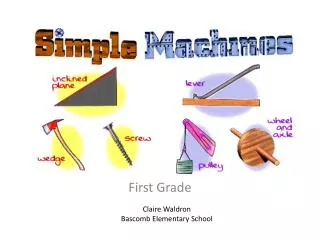
Introduction • Complete the Simple Machines activity on edheads. • Think about and identify the different kinds of simple machines you found in the activity. • How did these simple machines help us in our lives/homes?
Gathering Data • Using one of the simple machine functions (pushes) with the robots, have them follow a simple trail to push a ball from a post • Record the number of times you can successfully complete this task in two minutes • http://www.youtube.com/watch?v=AToVUoZyWWk
Graphing • Create a bar or line graph demonstrating the data you gathered • http://strandmaps.nsdl.org/AAAS-Collection/NSDLbenchmarksContent.jsp?bm=SMS-BMK-1967
Results/Flashback • Turn your graph into the teacher complete with your names • Get ready to demonstrate what you have learned about different kinds of simple machines in your flashback