Download
1 / 6
60 likes | 184 Views
Discover innovative methods to utilize Assistive Technology printables tailored for students' needs. This guide provides step-by-step directions for creating interactive materials, such as three-quarter books using colorful or white paper. With easy-to-follow graphics and text box templates, teachers can design personalized learning resources. Highlight text, cut out graphics, and glue them in place for an engaging classroom experience. Optional lined boxes and duplication instructions allow for flexible adjustments. Enhance student participation with these creative printables!

E N D
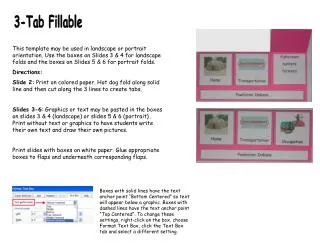
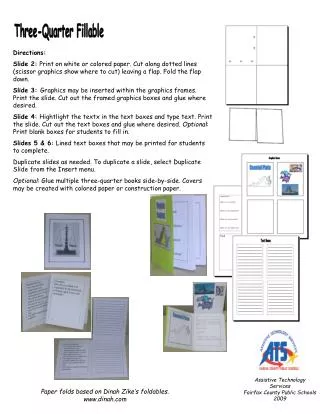
Assistive Technology Services Fairfax County Public Schools 2009 Three-Quarter Fillable Directions: Slide 2: Print on white or colored paper. Cut along dotted lines (scissor graphics show where to cut) leaving a flap. Fold the flap down. Slide 3: Graphics may be inserted within the graphics frames. Print the slide. Cut out the framed graphics boxes and glue where desired. Slide 4: Hightlight the textx in the text boxes and type text. Print the slide. Cut out the text boxes and glue where desired. Optional: Print blank boxes for students to fill in. Slides 5 & 6: Lined text boxes that may be printed for students to complete. Duplicate slides as needed. To duplicate a slide, select Duplicate Slide from the Insert menu. Optional: Glue multiple three-quarter books side-by-side. Covers may be created with colored paper or construction paper. Paper folds based on Dinah Zike’s foldables. www.dinah.com
Text Boxes Questions Answers Text Text
Text Boxes ______________________________________________________________________________________________________________________________________________________ ______________________________________________________________________________________________________________________________________________________ ______________________________________________________________________________________________________________________________________________________ ______________________________________________________________________________________________________________________________________________________
Text Boxes ________________________________________________________________________________________________________________________________________________________________________________________________________________________________________________________________________________________ ________________________________________________________________________________________________________________________________________________________________________________________________________________________________________________________________________________________ ________________________________________________________________________________________________________________________________________________________________________________________________________________________________________________________________________________________ ________________________________________________________________________________________________________________________________________________________________________________________________________________________________________________________________________________________