Download
1 / 18
180 likes | 300 Views
The University of Hawaii provides essential information on Assistive Technology (AT) to enhance the functional capabilities of individuals with disabilities. This includes resources for mobility impairments, blindness, low vision, hearing or speech disorders, and learning disabilities. From adjustable workstations and screen readers to word prediction software and captioning tools, the website outlines various types of AT and their applications. Additionally, it emphasizes the importance of web accessibility for all users and provides guidelines to improve online experiences for individuals with disabilities.

E N D
Assistive Technologyand Web Accessibility University of Hawaii Information Technology Services Jon Nakasone
UH Assistive Technology Web Site • www.hawaii.edu/access
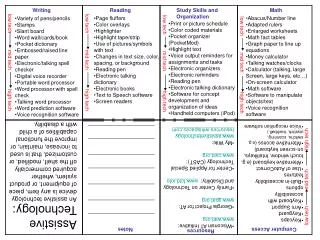
What is AT? • Any form of equipment or product used to increase, maintain, or improve the functional capabilities of individuals with disabilities.
Types of Disabilities • Mobility Impairments • Blindess/Low vision • Hearing/Speech disorders • Learning Disabilities
Mobility Impairments • Adjustable computer workstation • Keyboards • Mouse • Voice input • Alternate input device (mouth wand) • Scanner • Laptop computer
Blindess • Screen Reader/Document Reader • Scanner • Text based browser • Braille translation software • Portable Braille note taking devices with speech output
Low Vision • Screen/Document reader • Scanning software • Large monitor • Anti-glare screens • Screen magnification software • Portable note taking device with speech output
Hearing and/or Speech Impairments • Spell check • Grammar check • Word prediction software • Visual flash • Speech synthesizer • Note taking device • Captioning or transcripts
Learning Disabilities • Screen reader • Voice recognition software • Large screen monitor • Spelling and grammar check • Word prediction software • Note taking devices
Web Accessibility Improved access for persons with disabilities and non-disabled. Universal Accessibility
Important Resources • Web Accessibility Initiative • www.w3.org/WAI
Priority One • Text equivalent for images, image maps, applets, scripts, bullets, etc. • Non color dependent • Headers for rows and column in tables • Title frames • Provide transcripts for audio and video • Provided redundant text links for image maps
Priority Two • Sufficient color contrasts • Clearly identify destination of each link • Avoid blinking objects • Provide a site map or table of contents • Make navigation consistent • Describe purpose of frames
Priority 3 • Expand abbreviations • Create a logical tab order for links and forms • Provide summaries of tables • Provide information so that users may receive documents or access to information according to their preferences.
No Frames Option <NOFRAMES> <BODY> Your Web information etc. </BODY> </NOFRAMES>
No Scripts Option • <NOSCRIPT>You browser must be Java enabled to view animation effects on this Web page</NOSCRIPT>
Web Validation Tool • Bobby • http://www.cast.org/bobby/
Contact • Jon Nakasone • nakasone@hawaii.edu • 956-2719