Download
1 / 12
120 likes | 256 Views
Discover how to easily create instant assessments using the "Insert Question" tool in your toolbar. This guide walks you through the steps to add questions to a blank page by right-clicking and dragging the tool. Learn how to utilize various question types like Yes/No, ABCD, and numerical problems with or without images. Enhance your quizzes and engage students with instant feedback. Whether you're asking about knowledge learned or generating student-driven choices, this tool enables fast and interactive assessment.

E N D
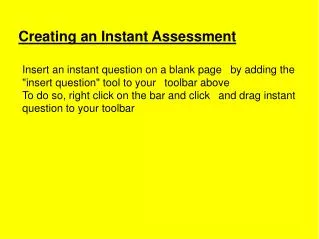
Creating an Instant Assessment Insert an instant question on a blank page by adding the "insert question" tool to your toolbar above To do so, right click on the bar and click and drag instant question to your toolbar
Example 1: Instant Yes No Have you ever used the Instant Question Generator?
Example 2: Instant ABCD Which fraction has the greatest value? 2 9 1 3 2 2 2 3
Example 3: Instant ABCD Use the same tool but with an image. What's the capital of this state? Houston Austin Texas Dallas
Example 4: Instant ABCD No answer choices needed!
Example 5: Instant ABCD Use Instant ABCD with previously made quizzes
Example 6: Instant ABCD Use ABCD with images, video or other software like Google Earth by using the transparent tool C. Island A. Harbor D. Bay B. Peninsula What landform is this?
Example 7: Instant ABCD Student Generated Choices 10 2
Example 8: Instant Number What is the product of 9 x 7?
Example 9: Instant Number Write an equivalent fraction for 1/2
Example 10: Instant Number On a scale of 1-10, how comfortable would you feel using an instant question with your students?