Easy Ways to Collect and Create Sprites from Pictures
Discover three methods to add new sprites to your collection! First, you can paint your own unique sprites. Alternatively, import existing images by selecting them from your files using the import button. Lastly, enhance your collection by browsing the Internet for images to download, with tools like Google Image Searcher at your disposal. Each method provides flexibility and creativity in creating your perfect sprite collection. Start exploring today!

Easy Ways to Collect and Create Sprites from Pictures
E N D
Presentation Transcript
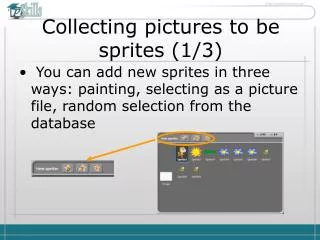
Collecting pictures to be sprites (1/3) • You can add new sprites in three ways: painting, selecting as a picture file, random selection from the database
Collecting pictures to be sprites (2/3) • If you want to import new sprites, click on the second button to get a file-choosing window to import an external picture file
Collecting pictures to be sprites (3/3) • You can browse the Internet for nice pictures to download (e.g. use Google Image Searcher)