Download
1 / 6
60 likes | 197 Views
This document outlines the procedures for managing school data and user roles within the ECO CLUB framework. It provides guidelines for creating administrative levels, including state, district, and school users. The focus is on the systematic entry of data for ECO CLUB participants and the appropriate user creation protocols for governmental levels. By ensuring that only authorized individuals can create or manage user accounts, the integrity of the data entry formats is maintained. This ensures that ECO CLUB programs effectively track student engagement and participation across different administrative levels.

E N D
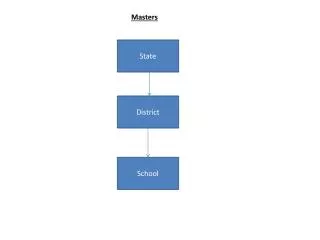
Masters State District School
Masters State Link to Link to SNA RA DIMC Link to District Link to ECO CLUB (Only 250) School Students (Only 40)
User Creation Admin Level User Create GOI Level User Admin RA User Create Create SNA User GOI GOI DIMC Level User Create State ECO CLUB Level User Create District Student Level User (Only 40) Create ECO CLUB