Essential Guidelines for Creating Effective PowerPoint Presentations
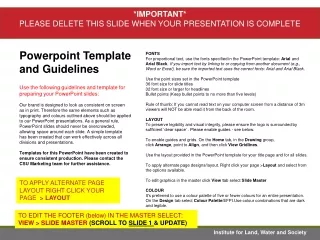
Discover how to create powerful PowerPoint presentations with these essential guidelines. Prioritize content first and keep the “fun stuff” for later. Use concise phrases instead of lengthy sentences for clarity. Choose easy-to-read fonts and maintain legibility with appropriate sizes. Limit word counts on slides and ensure proper use of colors, backgrounds, and images to avoid distraction. Consistency is key for design elements and transitions. Lastly, proofread for errors to enhance professionalism and effectiveness.

Essential Guidelines for Creating Effective PowerPoint Presentations
E N D
Presentation Transcript
Content • Keep priorities straight when creating: • Content first • “Fun stuff” later CONTENT IS THE MOST IMPORTANT THING!
Word Phrasing • Use phrases whenever possible • Avoid sentences (too wordy)
Word Phrasing: Sentences vs.. Phrases “To take advantage of the annual flooding of the Nile, the people built irrigation channels to carry water into the fields. They also built dams to hold back the water for use during droughts.” from Message of Ancient Days textbook p. 188
Word Phrasing: Phrases vs.. Sentences • Annual flooding -advantages: Built: • Irrigation canals • Carried water to the fields • Dams • Held back water -use during droughts
Style of Font • Choose style that is easy to read • Cute, fancy, etc.: they don’t matter! • Should fit your topic
Size of Font • Use as large a font as possible • Suggestion: nothing less than 40!(...and sometimes that’s even too small!)
We can’t see! Size of Font • Keep audience in mind • Small group? • Whole class?
Font: A Wrong Example “Eagle Flight” An eagle wings gracefully through the sky. On the earth, I stand and watch. My heart flies with it. by Alonzo Lopez
Font: A Correct Example “Eagle Flight” An eagle wings gracefully through the sky. On the earth, I stand and watch. My heart flies with it. by Alonzo Lopez
Number of Words • Limit yourself to 25 words per slide • Present only “kernel” ideas • Use detail verbally when you present
Number of Words • If need more room, make a new slide with additional information! This slide is getting way too crowded, so... …MAKE A NEW SLIDE!!! 2
Colors • Create contrast • Use “opposite” colors when layering • Examine carefully to see if pleasing to the eye
Backgrounds/Templates • Should “set off” your ideas • Should fit your topic • Should not be a distraction
Pictures/Drawings • Must be appropriate to presentation • Must fit time period, topic, etc., of project • Must be large enough to see from distance
Pictures/Drawings • Must not distract from text • Give credit for pictures at end of presentation Credits!
Leave some empty space! Spacing • Do not “crowd” slide • Leave “white space” so eye can process information on slide
Example: A Poor Slide • Notice: • colors don’t compliment each other • background “fights” with words and pictures • picture doesn’t “fit” with topic of slide • slide too crowded
Example: A Good Slide • Notice: • colors compliment each other • background does not “fight” with words and pictures • picture “fits” with topic of slide • slide not too crowded
Sounds • Use only in limited way • Should not provide any distraction • Useful to signal change of ideas
Animation Effects • Should not be a distraction • Consistency! • Should make it easier to process information on slide
Animation Timing • Mouse Click vs.. Automatically Timed • Think through how being presented
Slide Transitions • Should not be a distraction • Consistency! • Should make it easier to process information • Not too slow; not too fast
Consistency • If presentation is short: • All background, transitions, font styles, etc., should be same 1
Consistency • If presentation is long: • Maintain consistency within sections of presentation
Example: A Poor Slide • Way too many sounds! • Way too many animation effects! • All of the noise and activity distracts from the slide! • ANNOYING!!!
Example: A Good Slide • Limited sound • Consistent animation effects • Nothing to distract from content
Music • If saved within presentation, uses LOTS of memory
Proofreading • EVERYTHING counts: • Spelling • Capitalization • Grammar MAKE SURE THAT YOUR PRESENTATION IS FREE OF ERRORS!
Final Thoughts • Content! • Content! • Content!
Credits Message of Ancient Days Houghton Mifflin Social Studies: 2001 Chapter 7, Lesson 1, p. 188 Star-Walk Silver, Burdett, & Ginn: 1989 “Eagle Flight” by Alonzo Lopez, p. 331
THE END