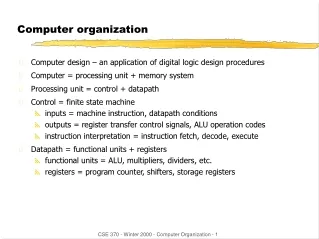
Computer Organization Basics and Architecture Review
Learn about Von Neumann architecture, storage speed hierarchy, instruction processing, interrupt handling, and more in computer organization. Explore the concepts of software, firmware, and hardware.

Computer Organization Basics and Architecture Review
E N D
Presentation Transcript
Basic Architecture Review • Von Neumann • Distinct single-ALU & single-Control • Fixed circuitry • Non-von Neumann • Various changes • Multiple ALUs • Merged ALU and Control • Alternatives to ALU
Timing • Cycle – timing in a computer comes from a master clock controlled by a crystal oscillator • Clock ticks (million cycles / sec) • Frequency = 1/period and Period = 1/frequency • Let’s use 10 MHz to make the arithmetic easier • 10 MHz = 10 x 106 Hz = 107 Hz • Period is 1/10*1 / 106 = .1 µsec = 10 - 7 seconds • Terms • Giga = 109 and nano = 10-9 • Mega = 106 and micro = 10-6
Storage Speed Hierarchy • On the Motherboard • CPU Registers – extremely fast • Cache (CPU Internal) – very fast • Cache (External) – fast • Main Memory - slow • External • Flash disk – 0 latency • Magnetic Disks – high latency • Optical Disk – very high latency • Magnetic Tapes – seq'l, extremely high latency
Instruction Processing • Fetch – get instruction from RAM • Decode - h/w determines operation from bit pattern of first (or more) byte(s) • Obtain operand data • From Registers or RAM • Into ALU • Execute (perform the operation) • Store results back to RAM • Update Instruction Counter • (sometimes called Program Counter)
Device-Controller/Software Relationship S/W Application H/W API Devicecontroller Device driver Device O/S
Device Controller Interface • Data width • Commands • Read • Write • Seek • Status codes • Busy • Error • Done • Ready
I/O Operations • Controller manages device • Devices are MUCH slower than CPU • CPU can process while device runs • Need to know when done • Polling (continual testing for "done") • Special h/w for notification – interrupt flag • One bit in CPU (explore: 1 per device) • Turned on by device controller • Turned off by O/S • No "race" conditions
Interrupt Handling Sequence • Controller (atomic action) • turns on flag • Sets code indicating which device • H/W (atomic action) • Switches to privileged mode • interrupts off • Memory protection off • Sets IC to general interrupt handler in O/S • O/S • Saves registers (NOT part of atomic actions)
Kernel S/W Interrupt Handling • Save (uses multiple machine cycles) • Registers • Stack • Determine interrupt cause • I/O, error, service request, external signal • Jump to proper interrupt-handler
Kernel Returns to the User • Restores user's state & values • User mode (kernel/user) • Registers • Stack • Load IC with interrupts enabled • Allows new interrupt before switching(return to processing on previous slide)
Trap or System CallInstruction • Atomic operation • Causes an interrupt (type=service request) • It is NOT a “call” as if to a function • Common service request handler • Uses code to select address in trap table • Trap table contains addresses of specific programs for specific request
Traps or Kernel “Calls” • Examples • cout << x; • seek (device, position); • X=ftime(); • User functions expand into assembly code for a "trap" or "svc" instruction • "trap" causes a H/W switch to the kernel • Kernel performs op and returns to user
fork (My_fork_loc); { ● ● ● trap (K_FORK, *My_fork_loc); } My_fork_loc:…; System call example User space Kernel space Traptable Do_fork(loc) { ● ● start_process (loc); mode=0; return; } *Do_fork *Do_fork Kernel space K_fork is entry # for "FORK"
Instruction Processing with Interrupts No No Interruptsallowed? Interrupt pending? yes fetch execute previousinst yes processinterrupt
Direct Memory Addressing (DMA) • Allows device controller to access RAM w/o going through the CPU • Increases throughput • Reduces interrupt handling
Device addressing • Two methods shown in text: • Conventional • External to RAM • Limited only by size of device address • Memory-mapped devices • Uses reserved part of RAM • Limited by reserved space • Third method – used in some mainframes • Channels – addresses 00-0f (1 byte) • Sub-channels – addresses 00-ff (2nd byte) • Total of 4096 independent devices (0000-0fff)
Loader Processing • Find the executable file • Resolve relative addresses within program to actual locations • Connect DLL's to procedure call structure • Shared collection of programs & entry points
Pipelined Instructions Store Fetch Decode Execute Fetch Execute Decode Store Fetch Decode Execute Store Done Done Done t0 t1, etc
Software, Firmware, Hardware • Software • Programs you can install/remove/transport to another computer which are stored on disk, CD, etc and run from within RAM • Firmware • Programs usually installed only by chip maker and which run from within ROM • May be upgraded by user (depends on chip) • Hardware • The physical components of the system
paired paired
PC-bootable disk layout 0x00-0x02 jump inst to 0x1e 0x03-0x0a PC manufacturer name 0x0b-0x0c sectors/cluster 0x0d-0x0f reserved for boot record 0x10-0x10 # of FAT's 0x11-0x12 # root directory entries 0x13-0x14 # logical sectors 0x15-0x15 media descriptor 0x16-0x17 sectors/FAT 0x18-0x19 sectors/track 0x1a-0x10b # surfaces (heads) 0x1c-0x1d # hidden sectors 0x1e-… boot program