The Systems Life Cycle: Design
160 likes | 288 Views
This phase involves designing inputs, outputs, data files, processing methods, validations, and reports to create a user-friendly system. Tailoring structures to meet user requirements, the process includes data collection forms and screen layouts, report layouts, screen displays, and validation routines. Distinguishing off-the-shelf and purpose-built software, it also specifies hardware and software needs, emphasizing cost, testing, and support aspects. Consistent simplicity, attractiveness, error reduction, and ease of use are key considerations.


The Systems Life Cycle: Design
E N D
Presentation Transcript
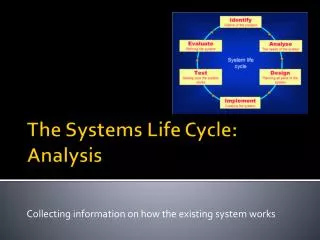
Designing the new system The Systems Life Cycle: Design
So far, our analyst has…. • Collected information on how the current system works • Established inputs, processes & outputs • Recorded information • Identified problems • Identified suitable hardware & software • Identified user & information requirements
In this next stage, the following are designed: • Inputs to the system • Outputs from the system • Files/databases needed to store the data • The processing required to produce the outputs • Any validation required • The data needed to test the system
Designing data collection forms/screen layouts • DCFs can be paper based or on screen • Need to take great care – why? • Easy for workers to fill • Easy for secretary to read • Eg one box per character • Minimise errors • Requirements must be clear • Design may depend on user requirements/required output
Designing screen layouts • Screens must be easy to use • Attractive to look at • Limit possible errors • Guidelines • Navigation • Input devices
Designing report layouts • Influenced by views of user • Also by user requirements • Attractive • Not over-elaborate • Instructions for navigation • Output format (graphs/lists/reports/tables) • Medium (paper/screen/sound)
Designing report layouts • Layout: who sees it? – users and customers, so need to consult with Company • Easy to read • Professional • Style: house style • 3 or 4 different designs for approval
Designing screen displays • Keep simple & consistent • Not over-elaborate • Attractive • Navigation • Users: no need for advertising • Instructions for use
Designing data & file structures • Master files • Transaction files • Field names • Field types • Field lengths • Validation rules • Field descriptions • Key field • Relationships • Test plan
Designing validation routines • As many data validation routines as possible – why? • Range checks/length checks/presence checks/format check/
Designing other ways of reducing errors • Reducing volume of input data (coding) • Direct data entry methods
Specifying the required HW & SW • Final stage • Earlier: general recommendations • Now: specific • May include supplier details • Volume of data may determine input/output devices • Storage: indexed sequential or sequential?
Software: Build or Buy? • Off the shelf or • Purpose built
Off the shelf Advantages: • Mass produced so cheaper • Available straight away • Rigorously tested • Helplines etc available Disadvantages: • Cannot be adapted/difficult to adapt • May have distracting extra features (eg Office Paperclip) • May not match existing system & software
Purpose built Disadvantages: • Cost • Testing limited to perception of programmer • Support limited to team of programmers • Time to develop Advantages: • Designed specifically for the task • Does not need to be adapted • Programmers can make any required changes