N Tier Client/Server Concepts
This presentation by Norman White from the Stern School of Business covers essential client-server concepts, including hardware components, data communications, and TCP/IP protocols. It delves into computer fundamentals such as processors, memory, and storage, alongside an explanation of I/O controllers and data channels. The importance of software, including application and systems software, is highlighted. The session also discusses data communications fundamentals, communication media, and various protocols, laying the groundwork for deeper exploration into networking and internet technologies.

N Tier Client/Server Concepts
E N D
Presentation Transcript
N Tier Client/Server Concepts Norman White Stern School of Business Csntier.ppt
Agenda • Background • Hardware concepts • Data communications • TCP/IP • Physical networks • Database management systems
But First, Some Background • Computer Fundamentals (hardware, software) • Data Communications • Networking … For more background take B20.2317 Information and Internet Technologies
Primary Hardware Components • Processor • Primary Storage (RAM) • Secondary Storage • Disk, tape etc. • Data Channel(s) • I/O Controllers • Other Peripheral devices
Components registers Processor R Memory (RAM) Data Channel video controller disk
Processor • Executes and decodes instructions • Different Processors understand different sets of instructions • Instructions are stored in primary storage and brought into the processor to execute • Processor also has local storage called registers, this is where arithmetic is done
Registers • How many • More registers are better • Means more info is in the processor so it can be processed faster • Sizes (bits/bytes etc..) • Larger registers mean you can manipulate more information at a time • Less need to retrieve information from memory
Instruction Set • Types of instructions • Instruction set is the complete set of machine language instructions that the computer understands • RISC computers (Reduced Instruction Set Computers) have very simple instructions that can be executed very quickly. Simple design means less cost, power. More software.
Data Channel • Used to transfer information between different system components • Most PCs have one main channel ( “the system bus”) • Mainframes have many data channels, allowing them to transfer large amounts of information between components
I/O Controllers • Controllers are used to manage a class of devices, like disk drives • Each type of device has its own controller (E.G. VGA card, serial card etc.) • Controllers send information to memory across the data channel • Controllers handle the idiosyncracies of different devices
Secondary Storage • Peripheral devices that can hold information for later retrieval • Disk, Tape, CDROM, diskettes
Software Concepts • Software is the program that you run on the computer • Two major types • Application Software – Accomplishes a business purpose • Examples Word, Access, Excel • Systems Software – Aids in running/developing applications • Operating Systems – Windows, NT, Unix, Linux • Languages – C, C++ Java, Cobol, Visual Basic etc. • Utilities
DATA COMMUNICATIONS Some Basics
Communication Components telephone cable satellite • SOURCE • SINK • MEDIUM MEDIUM SOURCE SINK
Communications Media • Telephone • Satellite • Cellular • Cable • Fiber Optic • Infrared • etc.
Analog / Digital • Analog • Represent information as a waveform • Music, video,voice • Digital • Represent Information as a string of bits • Digitization • Convert from analog to digital by sampling the waveform at fixed intervals • ISDN phone line 64000 bits per second • 8000 samples per second (each sample an 8 bit (0-255)) Number
Modems modulator/demodulator • Converts Digital signal to analog so it can be sent over phone lines • Reconverts analog to digital on other end 1 1 1 0 0 0 0 0 01110000
Digital Communications • ISDN - Integrated Services Digital Network • New communications will allow full digital communications, higher bandwidth, fewer errors ($30/mnth in NJ) • Cable et al. • Very high digital bandwidths to your home • Fiber Optic • Country backbone network already digital • ADSL • Asymmetric Digital Subscriber Line – uses existing copper
Communications Protocols • Need rules to communicate between systems • Communications protocols are the rules for a particular method of communication • Who says what, when • How are errors handled • How much information in a message • How is message routed from sender to receiver
Asynchronous vs. Synchronous Protocols • Asynchronous - A single character is a message • Errors sometimes detected, but no recovery • Horizontal parity used to detect single character errors • Synchronous - A group of characters constitute a message • Synchronous protocols usually recover from errors
Types of Synchronous protocols • Bisynchronous • Point to point conversation • Not used much any more • Each message is acknowledged as received • Multilateral protocols • Messages routed from one machine to another • Message includes address of destination • Needs to be routed by intermediate nodes
TCP/IP Model • Application Layer – Applications and processes that use network • Host-host Transport Level – end to end data delivery • Internet layer – defines the datagram and handles data routing • Network Access layer – routines for accessing physical networks
TCP/IP Protocol of the Internet
History • Originally developed as a protocol that would withstand wide network outages (Arpanet) • Now it has become the standard protocol for almost all data communications • Consists of two parts, IP ad TCP
TCPTransmission Control Protocol • Handles communications between 2 processes anywhere on internet • Guarantees correct data is received by receiver • Uses IP for delivery and routing of packets
Packets/Datagrams • Fixed size blocks of information that are sent using TCP • Packet includes information like • Address of host to send this to • Address of host it is coming from • Destination Port Number • Sending Port Number • MAC address of sender/receiver (hardware address) • Sequence info • Data
IP - Internet Protocol • Handle datagrams • Defines Internet addressing scheme • Routes datagrams to remote hosts • Performs fragmentation and reassembly of datagrams
IP Addressing • Every host has an address in the form of www.zzz.yyy.zzz (the “IP” address) • Each subcomponent refers to a particular breakdown of all of the machines on the internet. • 128.122.197.133 = sales.stern.nyu.edu • 128 = edu domain • 122 = nyu network • 197 = subnet at stern • 133 = address of sales computer
Name Resolution • The TCP/IP protocols include the concept of “name lookup”, where names like sales.stern.nyu.edu are translated into their numeric addresses • (128.122.197.133) • Hence one has to specify the locations of the “name servers” you wish to use.
Gateways • Gateways (also called IP routers) are the computers used to connect your network to the internet
Sockets and ports • TCP/IP uses “ports” to connect services between machines • The destination machine has particular ports offering different types of service • 23 = telnet , 80 = WWW etc. • Client machine uses random port • Combination of destination port and originating port = socket (i.e a destination port that is in use)
Standard TCP/IP Services • telnet - 23 • rlogin • ftp - 21 • NFS - Network File Service - 2049 • Talk - 517 • Ping - • Finger - 79 • Sendmail - 25
Other TCP/IP Services • World Wide Web (usually port 80) • Hyper media interface to internet • Connects clients and servers using HTTP • Hyper Text Transfer Protocol • Subset of the internet • Hottest area right now • Cuseeme, Netmeeting • Interactive video
TCP/IP Problems • Current standard has several major problems • Address space limitations • xxx.yyy.www.zzz limits number of nodes • Out of space in another year or so • No Quality of Service guarantees • Difficult to stream audio/video etc • Need client and server to be able to negotiate quality of service, especially for streamed multimedia
Summary • TCP/IP is the “language” of the internet • Many other services are based on the basic TCP/IP support • All of these services are “client/server” • Like the WWW • WWW uses HTTP (Hyper Text Transfer Protocol) • New Version of TC/IP IPv6 coming
Types of Physical Networks • Star • All nodes connected to a central point which routs information • Inexpensive • Prone to failure • Bus • All nodes connected to a single cable • All message seen by all station simultaneously • Cheap, throughput limited at high volumes • Ring • Messages passed from on machine to the next
Packet Switched Networks • Problem – How do we fully connect thousands of computers together? (How many wires?) • 2 computers – 1 • 3 computers – 3 • 4 computers - 6 • 5 computers – 10 • N computers – (N*(N-1)/2) • 1000 computers – about .5 million connections • Solution • Don’t connect every computer to every other computer, instead “route” information from one computer to another
Packet Switched Network N - 1 Connections Add more connections for redundancy
Network Communication Protocols • Protocol • Rules to follow telling each computer what to send where, when • Packet switched protocols include routing of packets from source to destination • Protocols also define rules to follow if there are errors, I.e. how to recover, retransmit etc.
Higher level protocols • Low level protocols route packets (of bits) around the network. Packets include address • High level protocols know what the packets contain • TCP/IP client server protocols • Client sends requests over network to a “server” program running on another computer • WWW C/S application
Client Server Concepts • A program on one computer (the Client) can request services from a program on another computer (the Server) • Client issues requests to a server someplace on the network • Requests are specially formatted messages which can be understood by almost any type of computer • Requests are sent using a “standard” telecommunications protocol
CS Concepts • Server responds with a message in the “standard” format • Client receives message and processes it
Example – WEB Requests • In the WWW model, the client is the browser (Netscape, I.E.) running on your computer • The server is the web server running somewhere on the internet • Both the client and server must be connected through a TCP/IP communications network
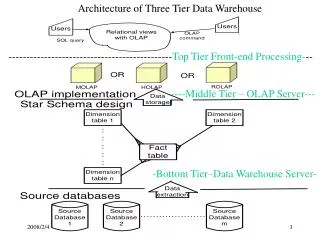
N Tier Client Server • The situation gets more complex, if the initial (Tier 1) server in turn becomes a client and requests services from another server in order to process the web request. There are now 3 programs running on 3 different computers involved in the processing of the web request.
Client Server User Web Browser Web Server Data Base Server
Issues in Client/Server • Fast developing standards • Isolates users from mainframe architecture • Enables application specific machines • Heterogeneous software and hardware • Subtle performance issues
Advantages • Application code is “closer” to the user • Application/server independence • Portability • Scalability • Performance ?
Performance Issues • Client App needs to be optimized for C/S • Client only goes to server when necessary • Not well suited for high-update environment • Good for applications with relatively static data