Excel Data Sets
This guide provides instructions on how to access and save Excel data sets for DSCI 2710 from the Blackboard eBook. If your textbook includes accompanying datasets, you’ll find links in the eBook to download them. These datasets can also be accessed through the DSCI 2710 course website (www.cob.unt.edu/itds/courses/dsci2710). Learn how to download, save, and utilize these Excel files effectively for exercises and assignments. Additionally, this guide highlights the presence of macros within the Excel files for enhanced functionality.

Excel Data Sets
E N D
Presentation Transcript
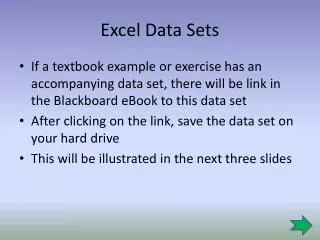
Excel Data Sets • If a textbook example or exercise has an accompanying data set, there will be link in the Blackboard eBook to this data set • After clicking on the link, save the data set on your hard drive • This will be illustrated in the next three slides
Excel Data Sets Click here to see the exercises
Excel Data Sets Click here to open or save the data file
Excel Data Sets You can also save this data set and open it later
Excel Data Sets • Excel data sets can also be found on the DSCI 2710 website • This website is: www.cob.unt.edu/itds/courses/dsci2710 • The Excel data sets are in Excel Files as illustrated in the next slide
Excel Files on the DSCI 2710 Website The excel macros file The Excel data files