File Management
90 likes | 196 Views
A file is a collection of data stored on a computer, forming the smallest unit of information we interact with daily. Long-term data must be stored in files, which can be data, text, or program files. Each file has a unique name composed of a name and an extension, indicating its type (e.g., .doc for Word documents, .jpg for images). Proper organization is crucial; files are categorized into folders, creating a hierarchical structure for easier access and management. This guide explores file definitions, conventions, and organization techniques.


File Management
E N D
Presentation Transcript
What is a File? • A file is a collection of data or information. • Smallest unit of information we deal with on an everyday basis. • All of the information that is stored in a computer long-term must be stored in a file. • There are many different types of files: • Data files, text files, and program files.
File Names • All of the files on a computer have a file name. • A file name has two parts: • The file name. • The file extension.
File Names (Continued) • File names must be unique within a single directory. • However, you can have two files that have the same name in different directories. • cannot contain the following characters: • / \ ? : * | “ < >
File Name Extension • A file name extension usually indicates the file type. • .doc Microsoft Word • .xls Microsoft Excel Spreadsheet • .ppt Microsoft PowerPoint • .jpg or .jpeg Photograpic Image • .exe Executable Program • Typically extensions are 3 charcters in length. • They can be longer.
File Name Extension (Continued) • The file extension identifies the program that will properly open the file. • If you try to open a file with an extension that your computer does not recognize, it will ask you what program you want to use to open the file. • You must have a program that is capable of opening the file installed on your computer to properly open and view a file. • MS Word and .wpd files.
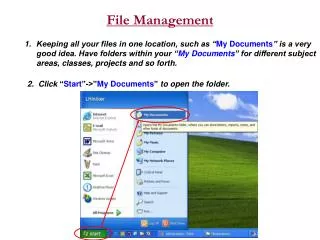
Folders and Directories • You can think of files on your computer as the files you put into a filing cabinet. • You organize files according to common themes. • You place these files into folders. • It’s the same for computers.
Folders and Directories (Continued) • You use a folder to organize files into a hierarchical structure. • Folders can contain: • Files • Folders (Subfolders) • You will create subfolders to help you further categorize your files so they are neatly organized.