Download
1 / 32
320 likes | 425 Views
This document outlines the concepts behind predictive evaluation methods in usability testing, focusing on how they allow for assessing design effectiveness without direct user interaction. It covers key goals, methods, and types of evaluations including heuristic evaluations, discount usability testing, and cognitive walkthroughs. By conserving resources through predictive approaches, designers can identify potential usability issues at various stages in the product lifecycle, making it particularly valuable for small companies or projects with limited budgets.

E N D
Predictive Evaluation(Evaluation Without Users) • Gathering data about usability of a design by a specified group of users for a particular activity within a specified environment CS/PSY 6750
Goals • 1. Assess extent of system’s functionality • 2. Assess effect of interface on user • 3. Identify specific problems with system CS/PSY 6750
Forms • Formative • As project is forming. All through the lifecycle. Early, continuous. Iterative. • Summative • After a system has been finished. Make judgments about final item. CS/PSY 6750
Approaches • Experimental (Lab studies, quantitative) • Typically in a closed, lab setting Manipulate independent variables to see effect on dependent variables • Naturalistic (Field studies, qualitative) • Observation occurs in “real life” setting Watch process over time CS/PSY 6750
Experimental+ Replicable+ More “objective”- Expensive, requires real users & lab- Realistic? Naturalistic+ “Ecologically valid”+ Cheap, quick- Not reproducible, user-specific results- Not quantitative (how much better?) Tradeoffs CS/PSY 6750
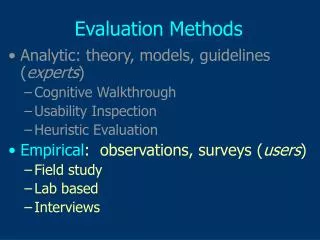
Evaluation Methods • 1. Experimental/Observational Evaluation • a. Collecting user opinions • b. Observing usage • c. Experiments (usability specifications) • 2. Predictive Evaluation • 3. Interpretive Evaluation Later in course CS/PSY 6750
Predictive Evaluation • Basis: • Observing users can be time-consuming and expensive • Try to predict usage rather than observing it directly • Conserve resources (quick & low cost) CS/PSY 6750
Approach • Expert reviews (frequently used) • HCI experts interact with system and try to find potential problems and give prescriptive feedback • Best if • Haven’t used earlier prototype • Familiar with domain or task • Understand user perspectives CS/PSY 6750
Predictive Eval. Methods • 1. Heuristic Evaluation • 2. Discount usability testing • 3. Cognitive Walkthrough • 4. User Modeling CS/PSY 6750
1. Heuristic Evaluation • Developed by Jakob Nielsen • Several expert usability evaluators assess system based on simple and general heuristics (principles or rules of thumb) (Web site: www.useit.com) CS/PSY 6750
Procedure • 1. Gather inputs • 2. Evaluate system • 3. Debriefing and collection • 4. Severity rating CS/PSY 6750
Gather Inputs • Who are evaluators? • Need to learn about domain, its practices • Get the prototype to be studied • May vary from mock-ups and storyboards to a working system CS/PSY 6750
Evaluation Method • Reviewers evaluate system based on high-level heuristics: • use simple and natural dialog • provide clearly marked exits • speak user’s language • provide shortcuts • minimize memory load • provide good error messages • be consistent • prevent errors • provide feedback CS/PSY 6750
Updated Heuristics • Stresses • recognition rather than recall • flexibility and efficiency of use • recognition, diagnosis and recovery from errors • help and documentation • match between system and real world • visibility of system status • aesthetic and minimalist design • user control and freedom • consistency and standards • error prevention CS/PSY 6750
Process • Perform two or more passes through system inspecting • Flow from screen to screen • Each screen • Evaluate against heuristics • Find “problems” • Subjective (if you think it is, it is) • Don’t dwell on whether it is or isn’t CS/PSY 6750
Debriefing • Organize all problems found by different reviewers • At this point, decide what are and aren’t problems • Group, structure CS/PSY 6750
Severity Rating • 0-4 rating scale • Based on • frequency • impact • persistence • market impact CS/PSY 6750
Advantage • Cheap, good for small companies who can’t afford more • Getting someone practiced in method is valuable CS/PSY 6750
Application • Nielsen found thatabout 5 evaluations found 75% of the problems • Above that you get more, but at decreasing efficiency CS/PSY 6750
Somewhat Controversial • Very subjective assessment of problems • Depends of expertise of reviewers • Why are these the right heuristics? • Others have been suggested • How to determine what is a true usability problem • Some recent papers suggest that many identified “problems” really aren’t CS/PSY 6750
2. Discount Usability Testing • Hybrid of empirical usability testing and heuristic evaluation • Have 2 or 3 think-aloud user sessions with paper or prototype-produced mock-ups CS/PSY 6750
3. Cognitive Walkthrough • Assess learnability and usability through simulation of way users explore and become familiar with interactive system • A usability “thought experiment” • Like code walkthrough (s/w engineering) • From Polson, Lewis, et al at UC Boulder CS/PSY 6750
CW Process • Construct carefully designed tasks from system spec or screen mock-up • Walk through (cognitive & operational) activities required to go from one screen to another • Review actions needed for task, attempt to predict how users would behave and what problems they’ll encounter CS/PSY 6750
Requirements • Description of users and their backgrounds • Description of task user is to perform • Complete list of the actions required to complete task • Prototype or description of system CS/PSY 6750
Assumptions • User has rough plan • User explores system, looking for actions to contribute to performance of action • User selects action seems best for desired goal • User interprets response and assesses whether progress has been made toward completing task CS/PSY 6750
Methodology • Step through action sequence • Action 1 • Response A, B, .. • Action 2 • Response A • ... • For each one, ask four questions and try to construct a believability story CS/PSY 6750
CW Questions • 1. Will users be trying to produce whatever effect action has? • 2. Will users be able to notice that correct action is available? • 3. Once found, will they know it’s the right one for desired effect? • 4. Will users understand feedback after action? CS/PSY 6750
Answering the Questions • 1. Will user be trying to produce effect? • Typical supporting Evidence • It is part of their original task • They have experience using the system • The system tells them to do it • No evidence? • Construct a failure scenario • Explain, back up opinion CS/PSY 6750
Next Question • 2.Will user notice action is available? • Typical supporting evidence • Experience • Visible device, such as a button • Perceivable representation of an action such as a menu item CS/PSY 6750
Next Question • 3.Will user know it’s the right one for the effect? • Typical supporting evidence • Experience • Interface provides a visual item (such as prompt) to connect action to result effect • All other actions look wrong • 4.Will user understand the feedback? • Typical supporting evidence • Experience • Recognize a connection between a system response and what user was trying to do CS/PSY 6750
Example • Program VCR • List actions • Ask questions CS/PSY 6750
4. User/Cognitive Modeling • Build a model of user in order to predict usage • User as processor model • GOMS & keystroke level model • Contextual models • Activity theory, distributed cognition,… CS/PSY 6750