Browser-Based Lab Studies
This workshop, led by Gary McClelland at the NSF ATI Conference in January 2002, explored the use of browser-based tools in laboratory studies. It highlighted the benefits of employing JavaScript, Java, and Flash for sophisticated computer control, facilitating interactive data collection, and minimizing data entry errors through electronic recording. The session also emphasized the importance of visual stimuli and adaptability in research design, and shared practical advice for maintaining readability and aesthetics while engaging participants.

Browser-Based Lab Studies
E N D
Presentation Transcript
Browser-Based Lab Studies Gary McClelland NSF ATI Workshop California State—Fullerton 17-20 January 2002
Why Browsers in the Lab? • Sophisticated Computer Control • Javascript, Java, Flash • Randomization tools • Response-dependent orders, stimuli • Visual, graphic, animated stimuli • photographs, movies, applets
Why Browsers in the Lab? • Interactivity for Responses • mouse, keys, Buttons, Scrollbars, ChoiceLists, CheckBox, TextField, RadioButtons • Electronic recording of data • avoid data entry errors • immediate feedback to participants
Why Browsers in the Lab? • Necessary software is FREE • browsers, javascript, Java SDK • Lots of computer labs on campus • Participant interest and motivation • “more scientific” • cf. paper and pencil questionnaires • visually interesting
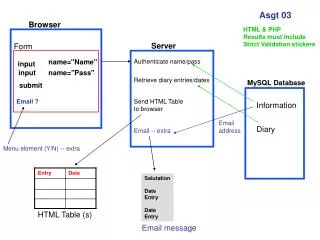
Browsers with Controlled Samples • Remote administration to dispersed sample • Longitudinal data collection • daily diaries, cf. PDA or pager studies • Tailored questionnaires and stimuli • a la adaptive testing
Advice • Avoid “Rolodex” Phenomenon • Worry about readability • margins, fonts, colors, backgrounds • Keep it simple • Don’t use all the bells & whistles • Esthetics matter