Overview of Windows Azure: Cloud Computing, IaaS, PaaS, and SaaS Solutions
Windows Azure is a cloud computing platform developed by Microsoft for application development. It provides Infrastructure as a Service (IaaS) for fundamental compute and storage resources, Platform as a Service (PaaS) for cloud application infrastructure, and Software as a Service (SaaS) for cloud applications. Azure supports web and worker roles for role-instance deployment, utilizing virtual machines. Key features include resource management, provisioning, monitoring, and data storage solutions such as Blob, Queue, and Table services. This comprehensive overview highlights Azure’s capabilities and functionalities for developers and users.


Overview of Windows Azure: Cloud Computing, IaaS, PaaS, and SaaS Solutions
E N D
Presentation Transcript
Windows Azure—Overview Cloud Computing Systems Lin Gu Hong Kong University of Science and Technology Sept. 21, 2011
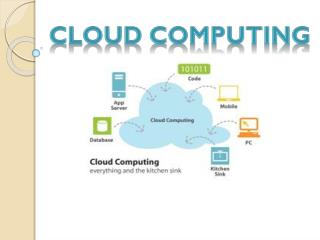
Cloud Systems • Infrastructure as a Service (IaaS): basic compute and storage resources • E.g., Amazon EC2, VMWare vCloud • Platform as a Service (PaaS): cloud application infrastructure • E.g. Google App Engine, Salesforce.com, Windows Azure • Software as a Service (SaaS): cloud applications • E.g. Google Docs, Microsoft Office Web Companions, Office 365
Windows Azure - Overview • Windows Azure is a platform for cloud-based application development • For the datacenter: parallel processing, resource management, provisioning, and monitoring • For users: cloud-based applications, integrated development environment
Application Model • Cloud apps are constructed in role-instance Model • A role instance is a set of code, configuration, and local data, deployed in a dedicated VM • At runtime each Role executes on one or more instances
Windows Azure Web & Worker Roles Worker Role Web Role • For general development and computation • Background processing • Customized for web applications • A web role is a worker role with the addition of IIS (i.e., it can do everything a worker role can do as well) Windows Azure currently supports two types of roles: worker role and web role. A service must include at least one role of either type, but may consist of any number of web or worker roles.
Azure Apps– Overview The Internet The Internet via TCP or HTTP Tables LB LB LB Storage Queues Web Site (ASPX, ASMX, WCF) Worker Service Web Site (ASPX, ASMX, WCF) Worker Service Web Role IIS as Host Worker Role Managed Interface Call Blobs Windows Azure Data Center
How Azure runs an app • The Fabric Controller • Process app definition files to create VHDs (Virtual Hard Disks) • Place role VHDs on compute nodes • Boot and configure role instance VMs • Start role host processes (IIS, WCF…) • Run role instances • Response to HTTP request • Maintain service health
Node Structure • A node is a management unit of FC • Contains an FC Agent in Hyper-V root partition • Each role instance runs in Guest OS with GA • FA delegates GAs to handle VM status
Node Health Monitoring • Based on heartbeats, which are typically sent in 15 second intervals • Once the index falls below zero, FC attempts to heal node • For example, host agent timeout is 10 minutes • Timeouts vary depending on node state and operation • Worst-case reaction time is timeout interval + heartbeat interval Missed Heartbeats Missed Heartbeat Recovery Initiated Node Health Index Heartbeat Interval Heartbeat Timeout
Windows Azure Storage The Windows Azure storage services provide storage for binary and text data, messages, and structured data • Blob service: storing binary and text data • Queue service: storing messages that may be accessed by a client • Table service: structured storage for non-relational data • Windows Azure drives: mounting an NTFS volume accessible to code running in your Windows Azure service • “Programmatic access to the Blob, Queue, and Table services is available via the Windows Azure Managed Library and the Windows Azure storage services REST API” -- http://msdn.microsoft.com/library/ee924681.aspx