Example Join-- File Information
This document explores various techniques for joining employee and department records in a database. It highlights the schema of the employee and department files, including their attributes and storage details. It discusses multiple join strategies such as nested loops, B-Tree indexing, clustered files, and sorted files. Through execution cost analysis of different join queries, it identifies the optimal approach to enhance data retrieval efficiency, particularly focusing on methods like B-Trees and hashing tailored for specific data set sizes.

Example Join-- File Information
E N D
Presentation Transcript
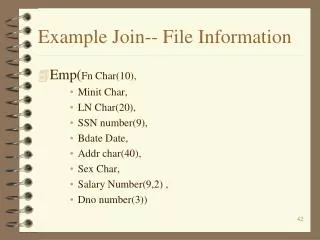
Example Join-- File Information • Emp(Fn Char(10), • Minit Char, • LN Char(20), • SSN number(9), • Bdate Date, • Addr char(40), • Sex Char, • Salary Number(9,2) , • Dno number(3))
Employee Numbers • r = 10,000 records • |r| = 99 bytes/record • Block Size = 512 bytes/block • bf = 5 records/block • b = 2,000 blocks • B+-Tree on Dno: • Ldno = 3, ddno = 125, sdno= 80, mdno = 47 • BLdno = 434
Example Join-- File Information • Dept(D# Number(3), • Dname Char(20), • MGRSSN Number(9), • MgrStartDate Date)
Dept Numbers • r = 125 records • |r| = 38 bytes/record • bf = 13 records/block • b = 10 blocks • B+-Tree on D#: • Ldno = 2, ddno = 125, sdno= 1, mdno = 47 • BLdno = 5
The Sample Query: • I want to use Emp ê Dept. What are my options? Dno=D# • Nested Loop approach. • Use B-Tree on Emp.Dno. • Use B-Tree on Dept.D# • Cluster Employee and Department together.
Join Query -- Nested Loop Emp ê Dept. Dno=D# • CJ1 = bdept + bEmp * bDept = 10 + 2000 * 10 = 20,010
Join Query -- B-Tree on D# Emp ê Dept. Dno=D# • CJ2D# = bEmp + rEmp * (LDept.D# + 1) = 2000 + 10000 * (2 + 1) = 32,000
Join Query -- B-Tree on Dno Emp ê Dept. Dno=D# • CBnDno = L+ (és / (ém/2 ù -1) ù - 1) + s = 3 + (é80 / (é47/2 ù -1) ù - 1) + 80 = 3 + 4 - 1 + 80 = 86 • CJ2D# = bDept + rDept * (CBnDno) = 10 + 125 * (86) = 10,760
Join Query – B-Tree on Dno Disucssion • This is the better choice. • Note: I have ignored the WTDC here because it would be the same in all cases.
Join Query -- Clustered Files Emp ê Dept. Dno=D# • CJ3 = bR + bs = 2000 + 10 = 2,010 • This is the best choice. • Note: it does restrict how the files are stored.
Join Query – Sort Files First Emp ê Dept. Dno=D# • Sort Emp: bR*Log2(bR) = 2,000*11= 22000 • Sort Dept: bS*Log2(bS) = 10*4 = 40 • CJ3 = bR + bS = 2000+10 = 2010 = = 24050
Join Query – Build Hash On Emp.DNO Emp ê Dept. Dno=D# • Build Hash: bR + rR = 2000+10000 = 12000 • Hash Join: = 1+ s = 81 • CJ3 = bs + rS*(81) = 10+125*(81) = 10135 = = 22135
Example WTDC • If all columns are needed, we have • |r| = 99+38 -3 (D# stored only once) = 134 • r = rEmp = 10,000 • Bf = floor(512/134) = 3 • b = ceil(10,000/3) = 3334 • Thus the WTDC = 3334