Effective Guidelines for Placing Images and Content in Marketing Materials
This guide provides essential steps for positioning images and content correctly in your marketing documents. Begin by enabling drawing guides on your screen, allowing you to visualize where elements should be placed. Using the right-click option, access 'Grids and Guides' for better alignment. For your project templates, include crucial details such as project name, transaction type, property type, size, location, and a brief description. Remember to utilize the optional client logo and include contact information for seamless communication.

Effective Guidelines for Placing Images and Content in Marketing Materials
E N D
Presentation Transcript
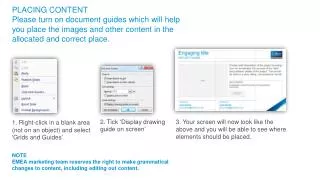
PLACING CONTENT Pleaseturn on documentguideswhich will help you place theimages and othercontentintheallocated and correct place. 2. Tick ‘Display drawingguide on screen’ 3. Yourscreen will nowlookliketheabove and you will be able to seewhereelementsshould be placed. 1. Right-clickin a blank area (not on an object) and select ‘Grids and Guides’ NOTE EMEA marketing team reserves the right to make grammatical changes to content, including editing out content.
Project name • TRANSACTION TYPE | PROPERTY TYPE • Size • Location • Brief description (30 words) IMAGE CLIENTLOGO (optional) CONTACT John Smith john.smith@colliers.com CONTACT John Smith john.smith@colliers.com
Project name • TRANSACTION TYPE | PROPERTY TYPE • Size • Location • Brief description (30 words) IMAGE CONTACT John Smith john.smith@colliers.com CONTACT John Smith john.smith@colliers.com CLIENTLOGO (optional)
Engaging title • PROJECT NAME • Provide brief description of the project including how we accelerated the success of the client and pertinent details of the project. This should be done in a story telling, conversational format. IMAGE • ClientTestimonial • Ifinapplicableremovethistextbox and horizontalline.Second line. CLIENTLOGO (optional) CONTACT John Smith john.smith@colliers.com CONTACT John Smith john.smith@colliers.com
Engaging title • PROJECT NAME • Provide brief description of the project including how we accelerated the success of the client and pertinent details of the project. This should be done in a story telling, conversational format. IMAGE CONTACT John Smith john.smith@colliers.com CONTACT John Smith john.smith@colliers.com • ClientTestimonial • Ifinapplicableremovethistextbox and horizontallineabove. CLIENTLOGO (optional)