Enhancing Reading Comprehension: Control Checks, Highlighting, and Annotating Techniques
Discover effective strategies to improve your reading comprehension through Control Checks, Highlighting, and Annotating. Control Checks help you monitor understanding by marking stopping points throughout your reading. Highlighting emphasizes key concepts while adhering to the 15-25 percent rule for effective retention. Annotating engages your thinking, allowing you to identify main ideas and supporting details. This guide offers practical tips for both physical and electronic documents, ensuring you stay focused and enhance your learning experience at St. Cloud State University.

Enhancing Reading Comprehension: Control Checks, Highlighting, and Annotating Techniques
E N D
Presentation Transcript
Control Checks, Highlighting, and Annotating Developed by the Academic Learning Center St. Cloud State University www.stcloudstate.edu/alc
Control Checks • Select stopping places throughout your reading assignment before you start to read. • Mark them with check marks (Control Checks) using a pencil or pen. • Stop at each check as you read and paraphrase or summarize in your mind what you just read.
Tips on How to Use Control Checks • Put them at the end of paragraphs, sections, or natural divisions within chapters. • The more checks, the closer you need to monitor your comprehension. • If you are familiar with the material, place fewer control checks.
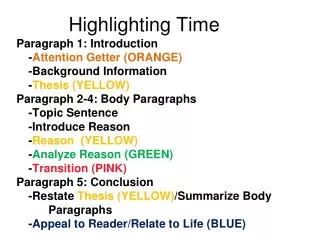
How to Highlight • Develop a consistent system of highlighting. • Use the 15-25 percent rule of thumb: Highlight no more than 15-25% of any given page.
How to Highlight • Highlight main ideas and only key supporting details. • Avoid highlighting complete sentences. • Move quickly through the document as you highlight. • To review, put the highlighted phrases into sentences and speak aloud.
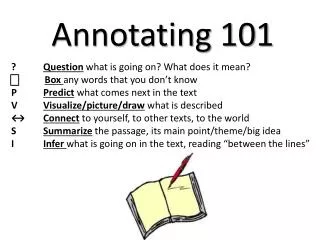
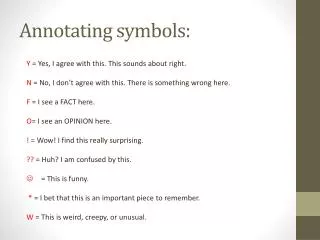
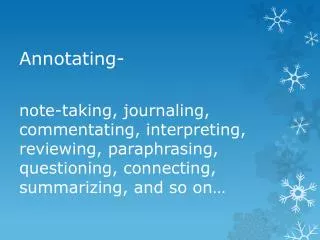
Why annotate? • Forces reader to pay attention. • Metacognition. • Select what is most important. • Alternate/Addition to note taking.
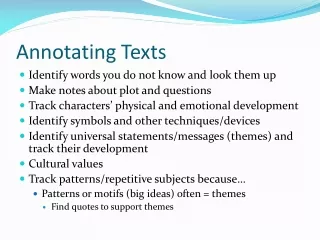
One Specific Way to Annotate • First read the passage and reflect on the content. • Then, grab a pen. • Circle concepts or key terms • Underline main ideas. • Enumerate (1, 2, 3, etc) major supporting details. • Use alphabet (a, b, c) for minor supporting details. • Make abbreviated outline on margins or new sheet of paper.
Annotating Electronic Documents • Print a clean copy, and mark by hand. • Paste into Microsoft Word and use review features. • Convert to PDF and annotate electronically. • Use EverNote or OneNote.