Comprehensive Guide to Daiseikai Remote Controller Features and Functions
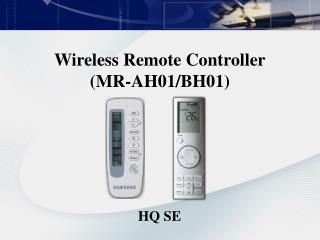
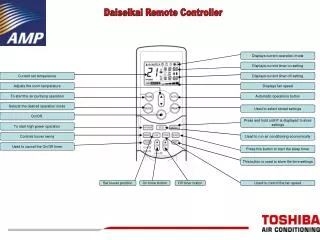
Discover the extensive features of the Daiseikai Remote Controller designed for optimal air conditioning and efficiency. This guide details the current operation modes, timer settings for on/off adjustments, and how to set the desired room temperature. Learn how to control fan speed, initiate air purification, and save energy with economical settings. We provide step-by-step instructions to store personalized settings, schedule timers, and utilize high power operation, ensuring your comfort and convenience in managing your environment.

Comprehensive Guide to Daiseikai Remote Controller Features and Functions
E N D
Presentation Transcript
Daiseikai Remote Controller Displays current operation mode Displays current timer on setting Current set temperature Displays current timer off setting Adjusts the room temperature Displays fan speed To start the air purifying operation Automatic operations button Selects the desired operation mode Used to select stored settings On/Off. Press and hold until P is displayed to store settings To start high power operation Controls louver swing Used to run air conditioning economically Used to cancel the On/Off timer Press this button to start the sleep timer This button is used to store the time settings Set louver position On timer button Off timer button Used to control the fan speed